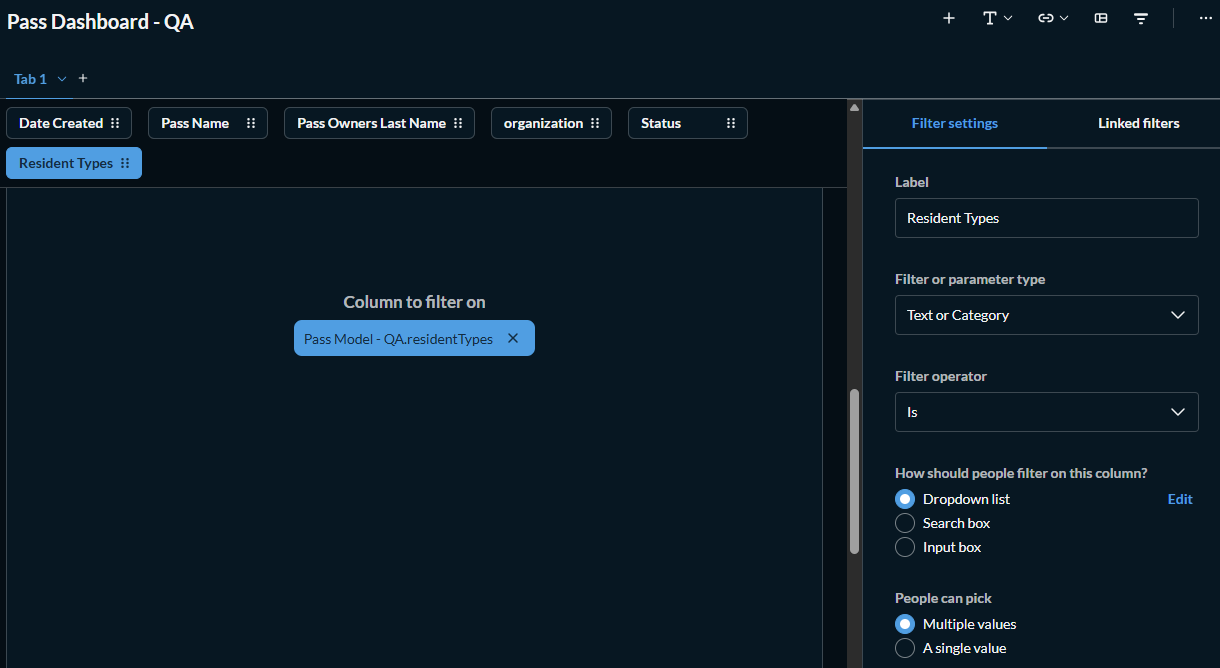
Context: We have a report that uses a SQL Model as data source. In this data source, we have many columns, and one is the Organizations ID. Our system has many organizations (each organization > different client).
We added a new column to this report, which is Resident Type. But Resident Type does not have a fixed value for all customers: each organization can create their own Resident Types. So while Org A has “Resident” and “Non-Resident” as their resident types, Org B has "Homeowner” and “Renter”.
The problem: We want to add a “Resident Type” filter in this report as a dropdown, and displaying only the values applicable for the logged organization, connecting the Resident Type filter with the Organization filter by using Linked Filters/Field Filters. However, we weren’t able to do that.
Images for more context:
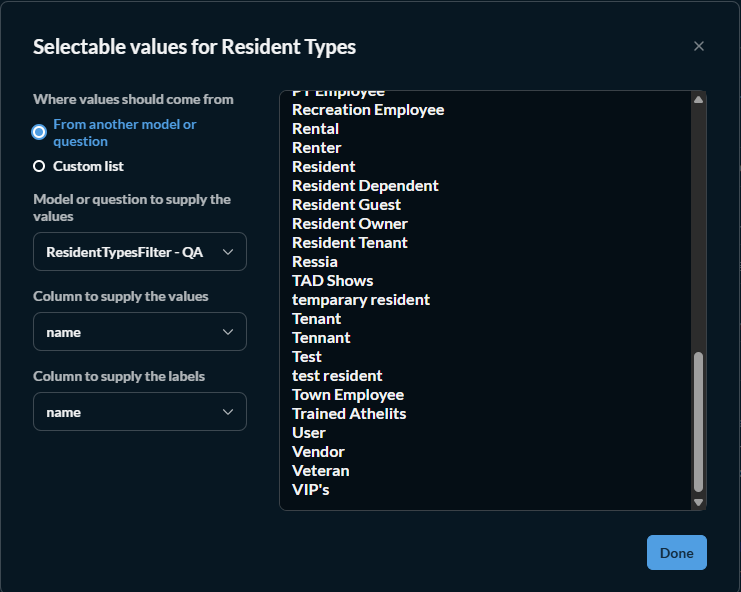
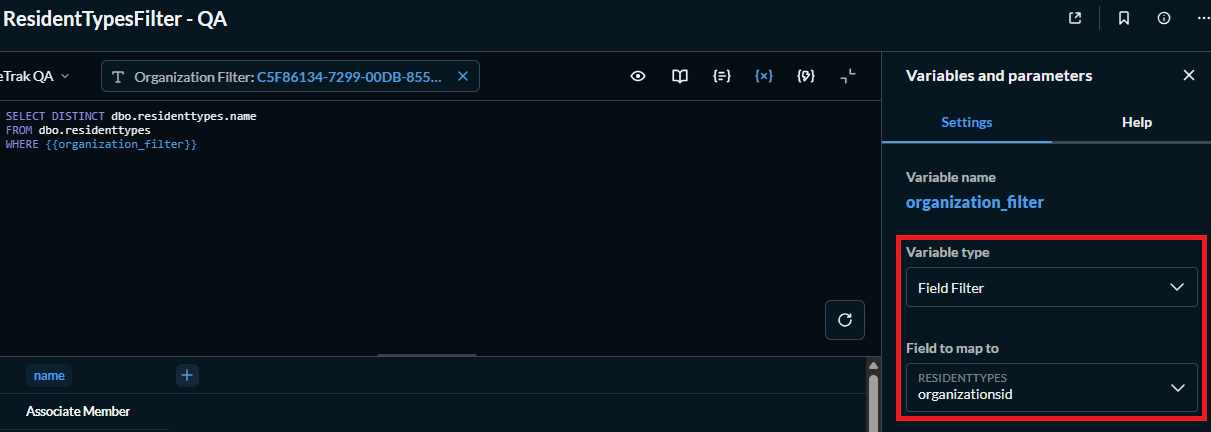
In Resident Type Filter > Dropdownlist > Edit, we created a question as data source following Field Filters video:
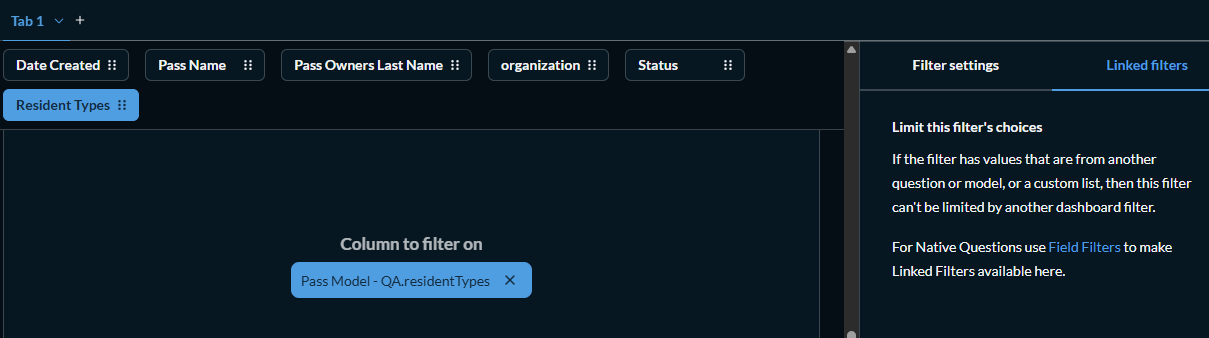
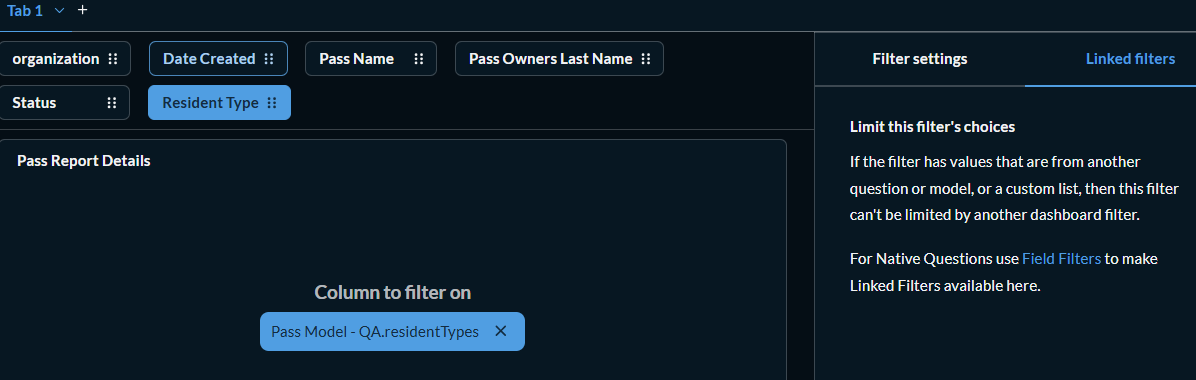
But when trying to connect the Resident Type filter with Organization filter, it says we need to use Field Filter (but as the image above shows, the data source for this filter is already a Field Filter!)
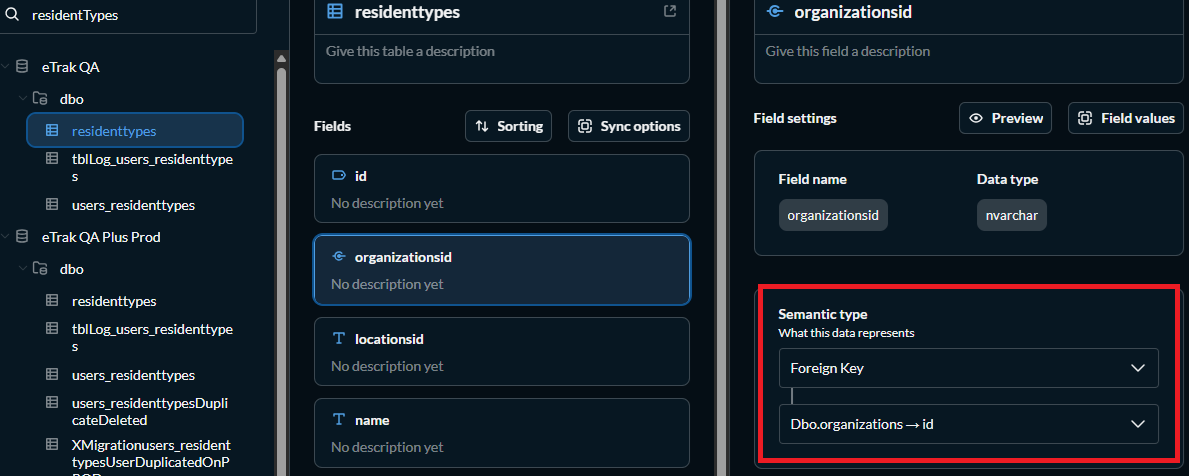
In Linked filter documentation, it says it will only work with “two different tables that have a foreign key relationship specified in the table metadata”, and this is already configured before we created the filter:
Can you describe the table schema in use here? The screenshot you showed of the table metadata setup showed one of the tables with a foreign key relationship to a table not listed in the same database connection. Is the dbo.organizations table hidden?
The Resident Type filter must also be Linked so Metabase knows what tables are involved so it can construct the query to build the filtered entries.
Hi, thanks for the reply!
The table using the foreign key is the same table/column being used in the Native SQL Query filter (ResidentTypes.OrganizationsID) which is the data source for the Resident Type combo filter.
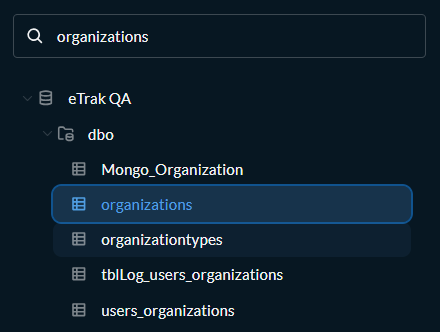
The Organizations table is not showing in the table metadata screen because I was filtering for “ResidentTypes” in the search box, but the table is there:
The Resident Type filter must also be Linked
Could you explain more what you mean by that? I tried to set the filter as Linked Filter but it shows this message, even though the data source is in fact is a Native query using a Linked filter.
Sorry, I wrote linked and meant Field Filter.
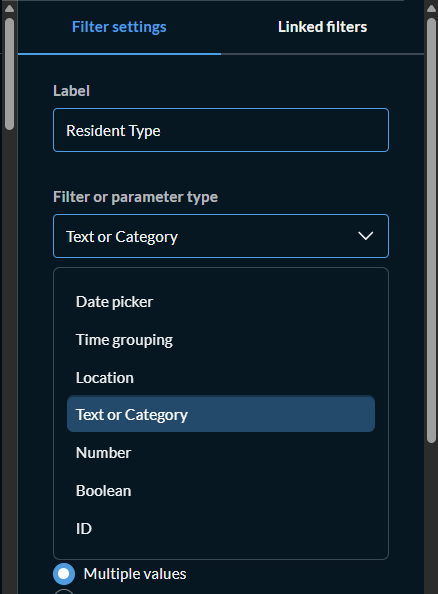
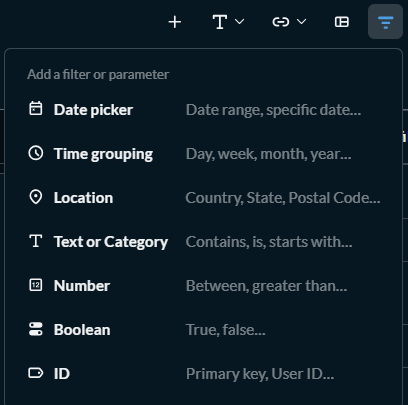
Oh I see. In the Native SQL Query used as data source, the Organization ID is a Field Filter. However, in the dashboard, there isn’t an option to turn Resident Type into a Field Filter:
Also no option when I try to add a new filter:
You don’t need the Field Filter type at the dashboard level, just at the question level. Create the matching type dashboard filter and attach it to the Field Filter’d variable in the question card.
As long as the backing fields are either in the same table or have a foreign-key relationship (as described in table metadata) the fields should appear as Linked Filter targets.