Clarification Needed on Full Database Export, Dynamic Directory Creation & Collection Migration in Metabase Serialization

Hi Metabase Team,

I hope you are doing well.

While working with Metabase serialization for exporting and importing collections between databases, I encountered an issue that I would greatly appreciate your help with.

Note: I am paid user of metabase.

I have implemented a custom job/codebase for this process, where I am providing:

  • Old Database ID

  • New Database ID

  • Collection ID (to be migrated)

  • Metabase API Key

For exporting, I’m using API URL:

POST: https://callhub.metabaseapp.com/api/ee/serialization/export?collection={collection_id} 

For importing, I’m using API URL:

POST :  https://callhub.metabaseapp.com/api/ee/serialization/import

with the x-api-key header and the .tgz export file as form data.

Issues I’m facing:

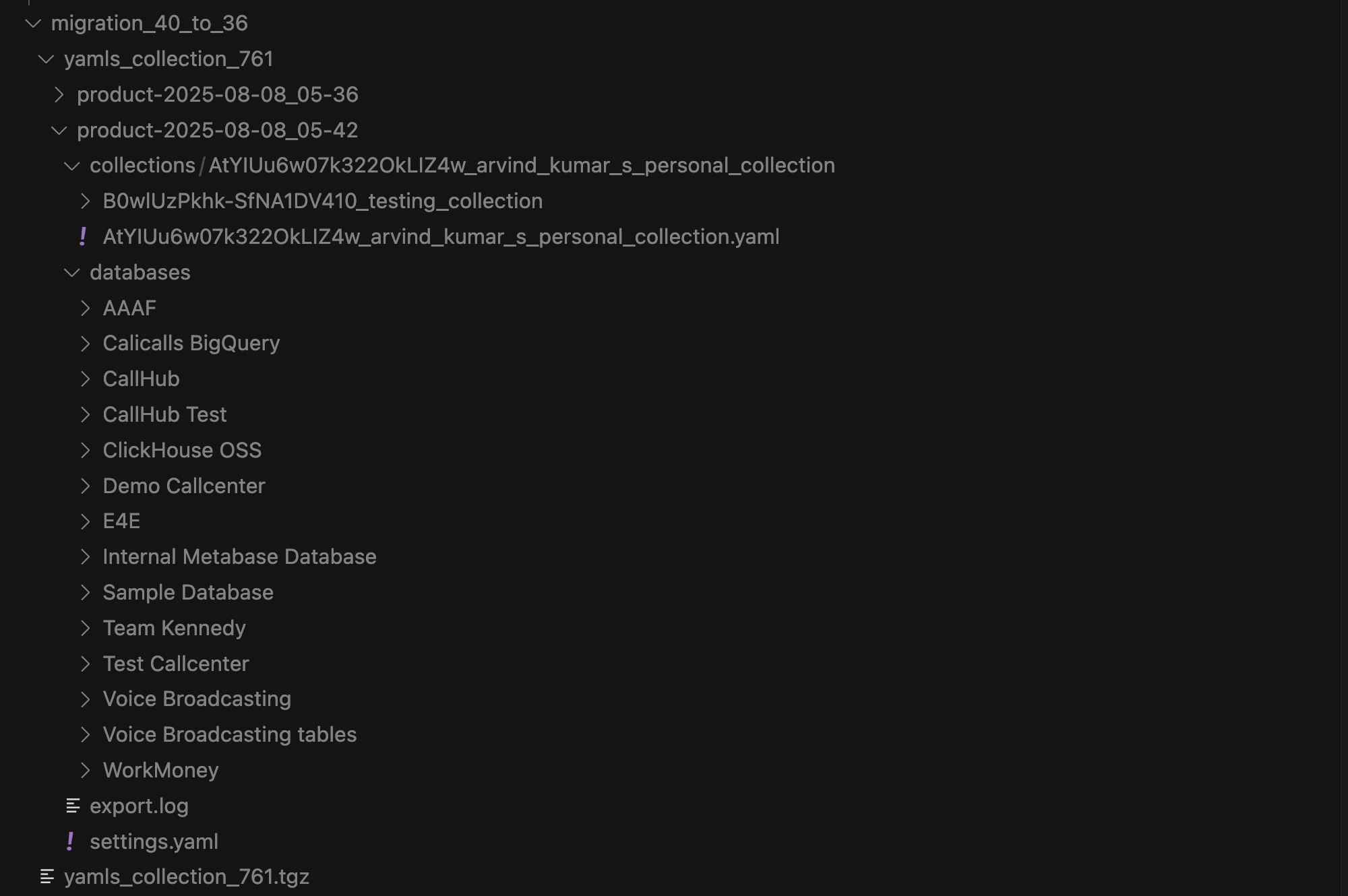
  1. Instead of exporting only the specified collection (with its referenced items and related databases), the API is exporting all available databases. In the attached screenshot, you can see that the export contains multiple databases, even though I only specified a single collection.

  2. The export process creates dynamically generated directories (e.g., product-2025-08-08_05-36 in the screenshot). Because of this, it’s difficult to provide the correct folder path during import.
Request:

  • Could you explain why all databases are being exported instead of only the specified collection with its references?

  • How exactly are these dynamic directories generated, and is there a way to control or predict their names?

  • Could you provide clear guidance or best practices for migrating a single collection from one database to another without exporting everything?

I have attached the screenshot, logs, API responses, and export folder structures for your review.

Your guidance on this would be extremely helpful, as this is currently blocking our migration process.

Best regards,
Arvind Kumar
Software Engineer
CallHub (Gaglers Software Pvt. Ltd.)

Hello there,

Here’s some of my input on this:

  • Could you explain why all databases are being exported instead of only the specified collection with its references?
    • By default, if the data model is included, all databases get exported and this can’t be configured. We have a feature request to be able to do this here. It’s possible to only include the data model in the first export and then stop including it, but then changes to Table Metadata won’t be propagated to the other instance.
  • How exactly are these dynamic directories generated, and is there a way to control or predict their names?
    • The filename for the export in the Content-Disposition header is always generated as the “site name” (Admin > Settings > Site name) of your Metabase + the date in format YYYY-MM-dd_HH-mm (code here). Most ways to fetch the export endpoint will allow you to decide what name you prefer for it, for example with cURL you can add --output "my-custom-filename.tar.gz"
  • Could you provide clear guidance or best practices for migrating a single collection from one database to another without exporting everything?
    • If the whole data model export is inconvenient here, unfortunately the most direct way to avoid exporting other DBs is to untar the bundle, delete the folders with a script, and then compress it again before importing it into the new Metabase. This can be done just once and the data model can be omitted in the future, with the caveat that I mentioned earlier in mind - updates to Table Metadata in Metabase A won’t be propagated to Metabase B

Let me know if this is helpful or if you have any more questions.

If you need help with anything else, please contact our customer support email (help@metabase.com). We do our best to check out the forums but we have that separate channel dedicated to customer requests. Thanks!