Jehan
June 4, 2026, 10:26am
1
Hey,
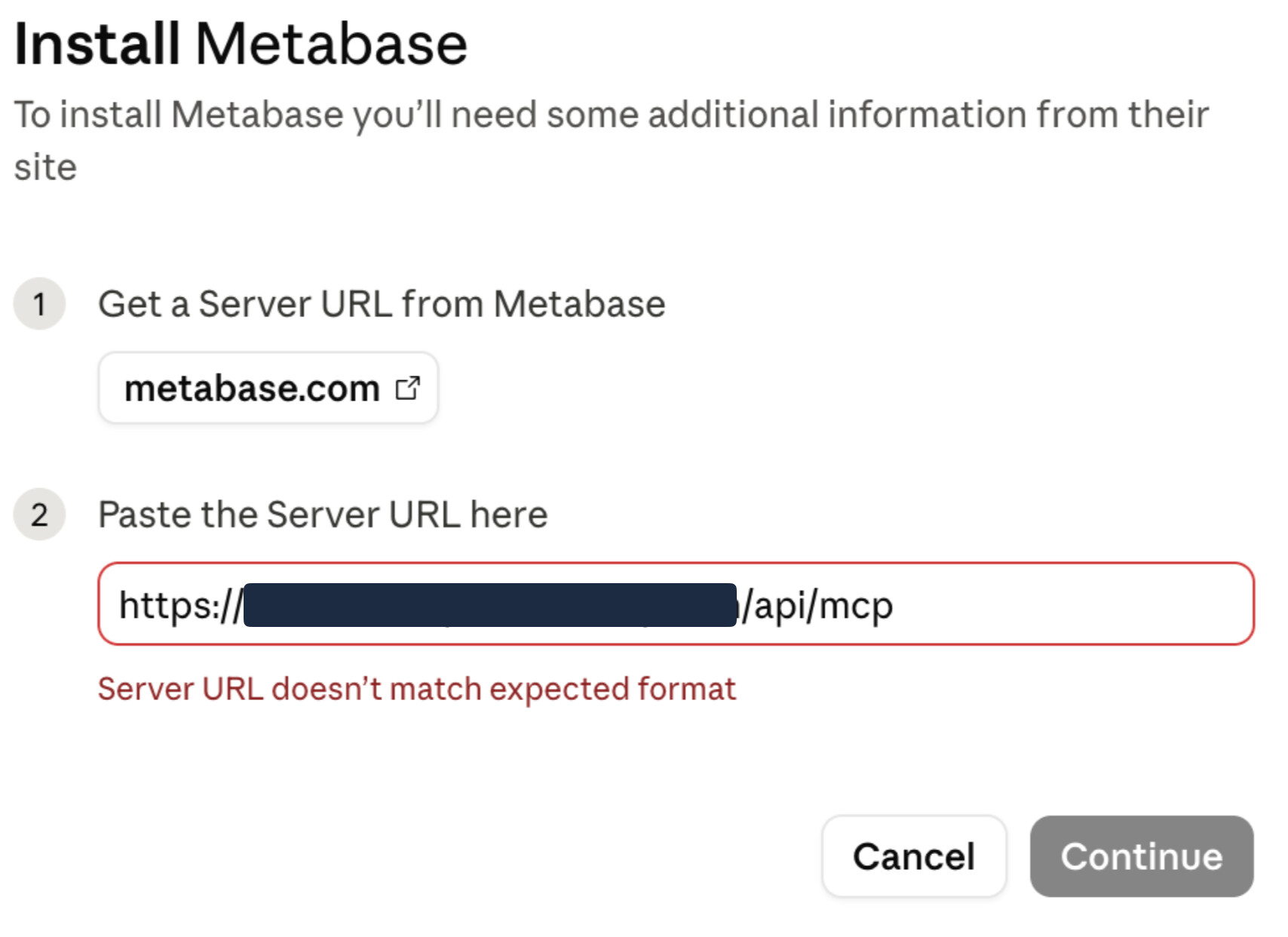
We’re self-hosting metabase, but we do have an issue regarding the installation of the Claude MCP, it doesn’t recognize our URL, whereas it is the url I do get from our admin settings interface.
We’ve followed the tutorial right there, but didn’t help.
Any idea? Did anyone have the same issue?
Thanks a lot!
Seems related to this bug:
opened 07:15PM - 02 Jun 26 UTC
Priority:P2
Type:New Feature
.Team/Embedding
.Auto triaged
**What problem will this feature request solve?**
The official Claude Desktop i… ntegration for Metabase MCP requires using publicly accessible HTTPS URLs. When self-hosting, this is not always possible (e.g. port forwarding or having a VPN handle DNS and TLS). Existing third-party integrations such as https://github.com/jerichosequitin/metabase-mcp do not have this requirement, and allow connections to localhost and non-HTTPS URLs.
Users might be able to work around this by using an MCP proxy such as https://github.com/geelen/mcp-remote, but this is not doable from the Claude Desktop app itself.
**Describe the solution you'd like.**
Officially support connecting Claude Desktop to Metabase MCP using arbitrary URLs.
**How does this feature request impact you?**
Entire customers might be blocked entirely from using Claude Desktop because of this limitation.
**Additional information**
N/A
Update, this bug is closer to the problem identified:
opened 12:11PM - 29 May 26 UTC
Type:Bug
Priority:P2
.Team/Embedding
.Auto triaged
### Describe the bug
Claude connectors look at the MCP URL to determine what co… nnector should be used for a given server. In the case of Metabase, the URL is `/api/mcp` at a generic level, which is too broad of a match. Because of this, the Claude connector only supports domains that include `metabaseapp.com/api/mcp`, which excludes self-hosted Metabase instances or Cloud instances on custom domains.
<img width="592" height="459" alt="Image" src="https://github.com/user-attachments/assets/764a7af3-0cc4-45e1-b9c0-e47d76d4a67a" />
The workaround is to add a custom connector through the Claude app, which accepts any MCP URL. None of this is mentioned by the description for the Metabase Claude connector.
### To Reproduce
1. Self-host Metabase, or use Metabase Cloud with a custom domain
2. Try to connect the Claude app to Metabase using the official integration. It will reject the URL as invalid
### Expected behavior
The Claude connector for Metabase should work for all instances, no matter what their domain is.
One possibility could be to make an alias of the existing MCP URL, like `/api/metabase-mcp` or similar, which could be used to match against any instance. The old URL would continue working but would not be presented or suggested in any UI.
### Logs
_No response_
### Information about your Metabase installation
```JSON
N/A
```
### Severity
P2
### Additional context
_No response_