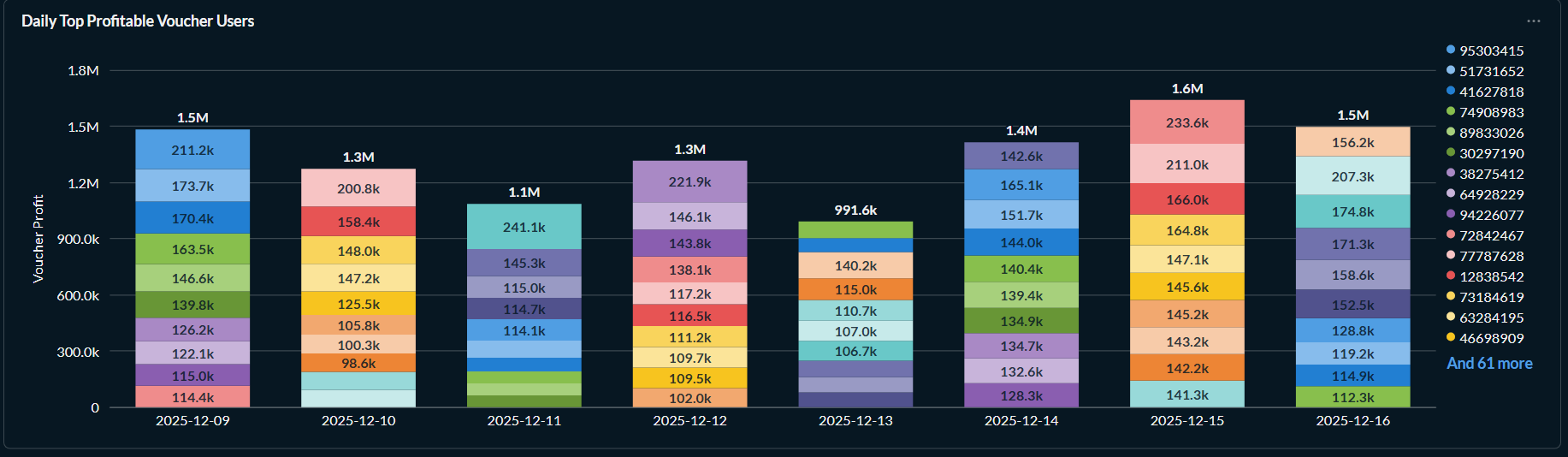
Would be nice if we can choose to show numbers on pivot tables in compact mode (B, M, k instead of full numbers), like in other types of visualizations. Or maybe this is already a thing and I just don’t know how to do it?
I think all you can do is change the formatting to multiply the number by 0.001 and have a suffix of ‘k’. No good if the numbers are very varied but fine if they’re within a narrow range.
Work is ongoing on metric-style prefixing in this pull request:
master ← mattheworiordan:feature/file-size-formatting
opened 07:58PM - 15 Aug 25 UTC
Closes https://discourse.metabase.com/t/format-or-style-field-in-bytes/25384
… ### Description
This PR adds a new "File size" number formatting style that automatically converts byte values to human-readable units (B, KB, MB, GB, TB, PB).
The implementation supports both binary (1024-based) and decimal (1000-based) unit systems, with automatic scaling to the most appropriate unit. Columns containing byte-related keywords in their names (like file_size, bandwidth, bytes) are automatically detected and default to file size formatting.
Key features:
- New "File size" option in the Style dropdown for numeric columns
- Binary units (KiB, MiB, GiB, TiB, PiB) and decimal units (KB, MB, GB, TB, PB)
- Configurable unit display location (column header vs individual cells)
- Consistent formatting across frontend and backend
- Works with tables, charts, and exports
### How to verify
Describe the steps to verify that the changes are working as expected.
1. New question → Sample Dataset → Create a Native Query with test data:
```sql
SELECT
'small.txt' as filename,
1024 as file_size
UNION ALL SELECT 'medium.jpg', 5242880
UNION ALL SELECT 'large.zip', 1073741824
UNION ALL SELECT 'huge.iso', 5368709120
```
2. Visualize as Table → Click gear icon on file_size column
3. Under "Style", select "File size" (should auto-detect based on column name)
4. Test the "Unit system" toggle:
- Binary: Shows 1 KiB, 5 MiB, 1 GiB, 5 GiB
- Decimal: Shows 1.02 KB, 5.24 MB, 1.07 GB, 5.37 GB
5. For table visualizations, test "Where to display the unit":
- "In every table cell": Shows units with each value
- "In the column heading": Shows "File Size (Bytes)" in header, numbers only in cells
6. Create a bar chart with the same data to verify Y-axis formatting
7. Download results as CSV to confirm formatting is preserved
### Demo
<img width="888" height="1270" alt="MO screenshot 2025-08-15 at 19 43 11" src="https://github.com/user-attachments/assets/394aa1b2-9cdb-4c22-964e-bd3d7fa6cfca" />
- Table with file size formatting applied
- Settings panel with new "File size" option
- Binary vs decimal units comparison
<img width="2796" height="1520" alt="MO screenshot 2025-08-15 at 19 52 43" src="https://github.com/user-attachments/assets/78d047ce-f711-451e-847f-72ba77092b3b" />
- Chart with formatted Y-axis values]
### Checklist
- [x] Tests have been added/updated to cover changes in this PR