Hi
I am using MS SQL Server DB.
I created a custom column using CASE Statement. Showed no error.
= CASE([Status] = "O", "Open", "Closed")
But the custom column is not visible in the Tabular form?
But again I created another Custom Column using the above Custom Column just by taking the above custom column and it showed up.
So is this a bug or am I missing something?
Can anyone please help?
Hi @spanda
Post "Diagnostic Info" from Admin > Troubleshooting.
Are you perhaps using a name similar to a column that exists?
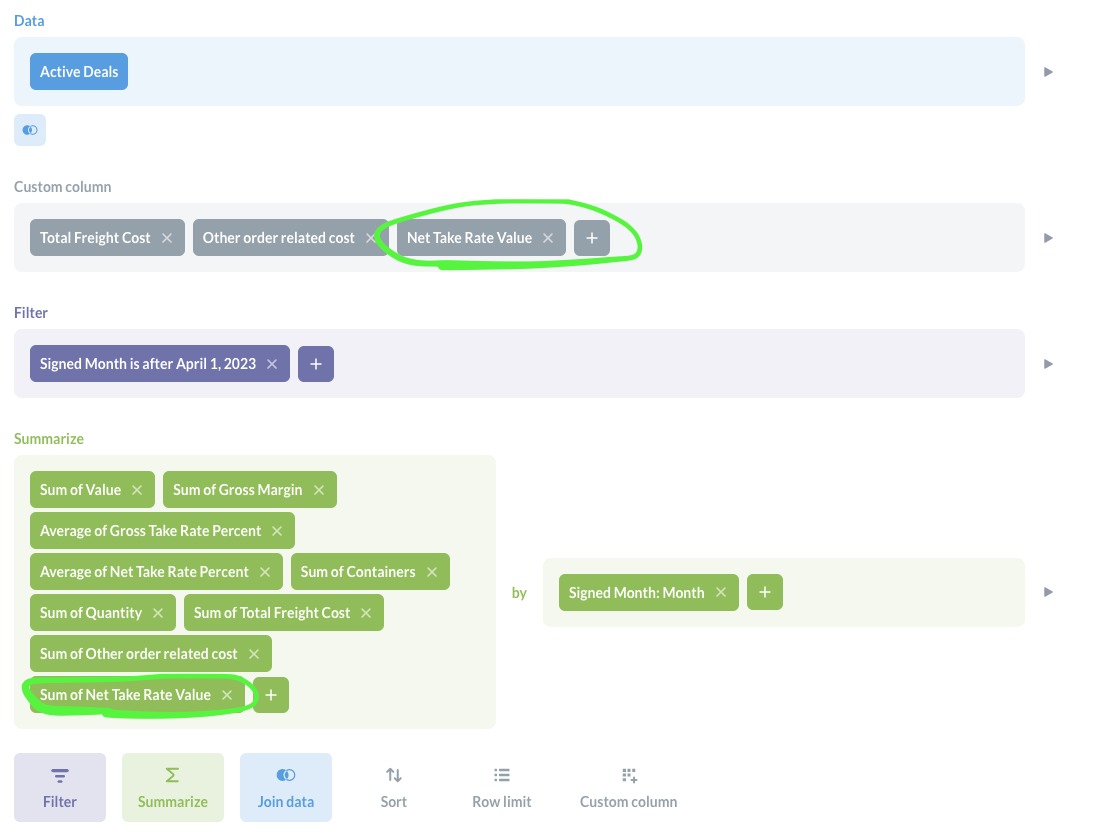
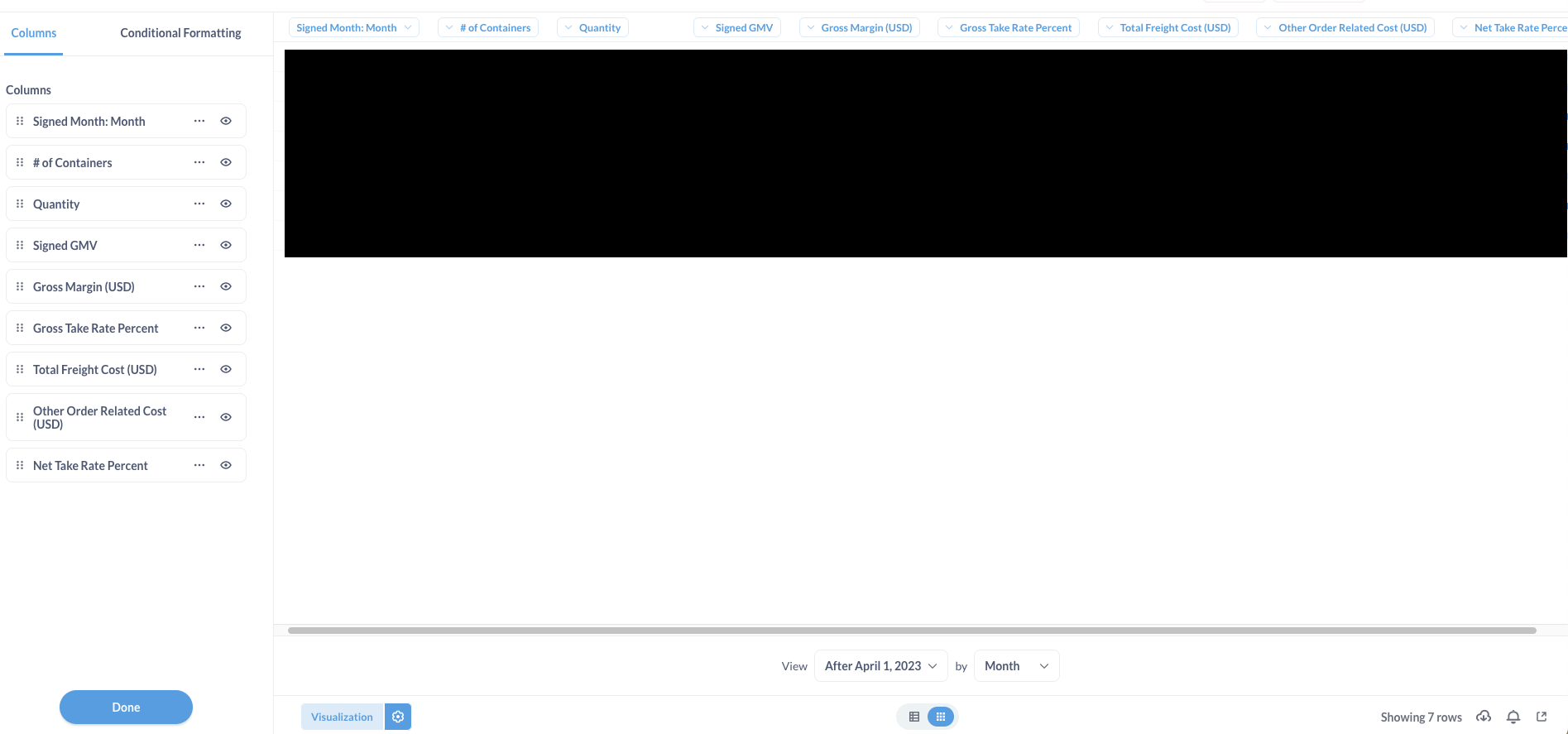
I am experiencing the same issue. As you can see in the screenshots, I have a custom column created and then I am summing up the value.
- The value shows up when I look at the raw data
- The value shows up when I visualize the data as line chart
- The value does not show up when I visualize the it as table
I am running the self-hosted version 0.47.9.
{
  "browser-info": {
    "language": "en-GB",
    "platform": "MacIntel",
    "userAgent": "Mozilla/5.0 (Macintosh; Intel Mac OS X 10.15; rv:120.0) Gecko/20100101 Firefox/120.0",
    "vendor": ""
  },
  "system-info": {
    "file.encoding": "UTF-8",
    "java.runtime.name": "OpenJDK Runtime Environment",
    "java.runtime.version": "11.0.21+9",
    "java.vendor": "Eclipse Adoptium",
    "java.vendor.url": "https://adoptium.net/",
    "java.version": "11.0.21",
    "java.vm.name": "OpenJDK 64-Bit Server VM",
    "java.vm.version": "11.0.21+9",
    "os.name": "Linux",
    "os.version": "5.10.186-179.751.amzn2.x86_64",
    "user.language": "en",
    "user.timezone": "GMT"
  },
  "metabase-info": {
    "databases": [
      "postgres",
      "h2"
    ],
    "hosting-env": "unknown",
    "application-database": "postgres",
    "application-database-details": {
      "database": {
        "name": "PostgreSQL",
        "version": "15.3"
      },
      "jdbc-driver": {
        "name": "PostgreSQL JDBC Driver",
        "version": "42.5.4"
      }
    },
    "run-mode": "prod",
    "version": {
      "date": "2023-12-01",
      "tag": "v0.47.9",
      "branch": "?",
      "hash": "d05b06e"
    },
    "settings": {
      "report-timezone": null
    }
  }
}
can you test this in v48?