I have questions or charts in metabase which are using filters. These filters have foreign keys pointing at foreign tables where they have a field name which describes the ID that these filters point to. So for a chart displaying shs_people which has a shool_id, I want the filter school_id, but what I need to show in the otions is shs_school.name where school_people.shool_id = shs_school.id
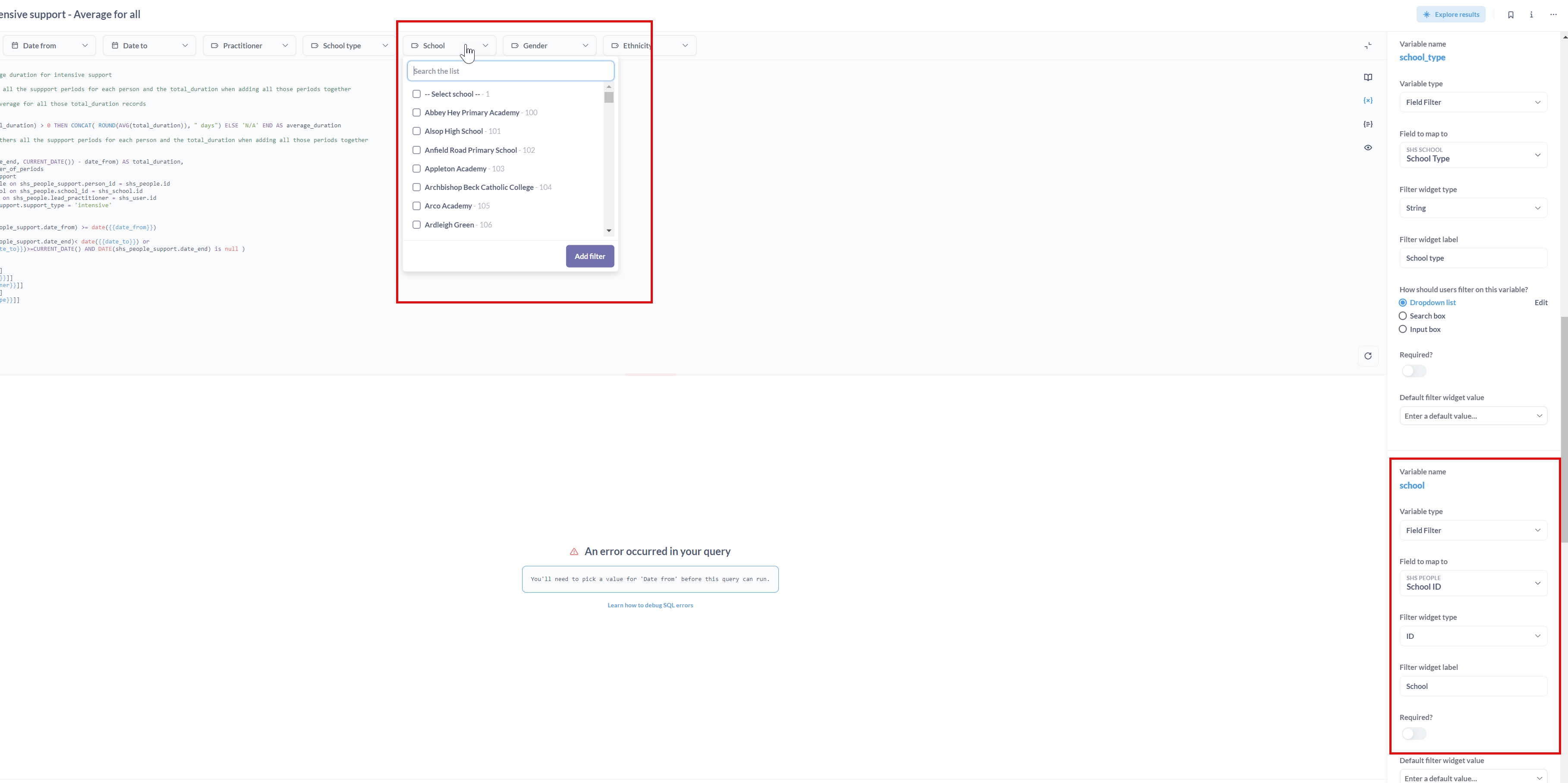
That all works ok, I can see the list of school names in the dropdowns of individual chart or questions e.g.
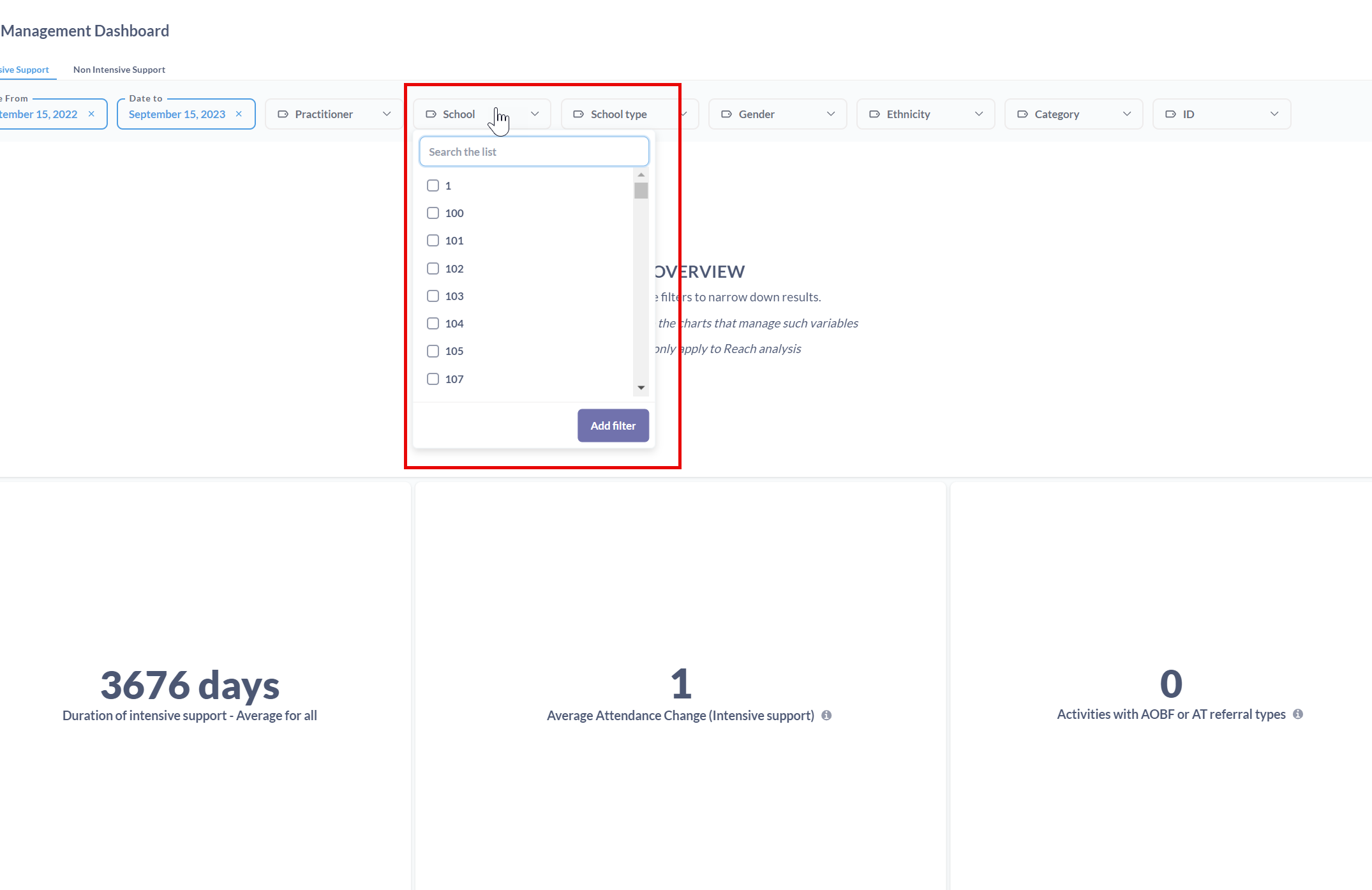
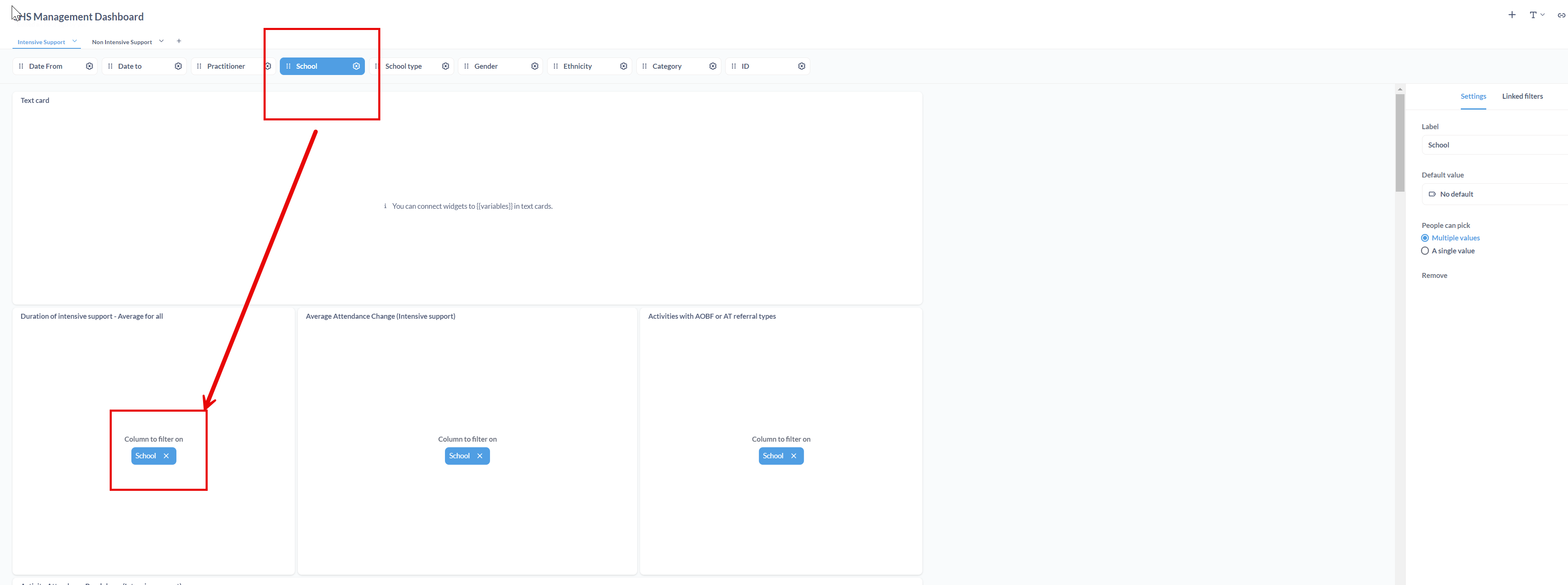
The problem is when I create a dashboard with two charts with the same filters. I create a filter called school and I link it to the filter school of each chart. In that case, the dropdown in the dashboard is showing IDs instead of the school names. But as you can see in the previous screenshot, the filters do show the school names.
This is an explanation of how to get Entity Key/Name mapping working for a single table. This does not cover mappings through a foreign key.
Entity Key/Name mapping is only supported on select databases (notably, it does NOT work on H2, so you can’t do this on Sample Database). This procedure was tested on PostgreSQL.
Make sure the table metadata is set properly:
ID column should be semantic type “Entity Key”
name column should be semantic type “Entity Name”
Behavior → Filtering for the Entity Key column must be set to “A list of all values”
If everything is set up right, under ‘Display Values’ for the Entity Key, the “Custom Mapping” option will be available. (You don’t have to select it, but the filtering setup must fulfill the requirements for Custom Mapping to be available for the key/name mapping to function.)
In the dashboard, the filter:
Must be Filter or Parameter Type “ID”
Must be attached to the column marked as Entity Key
If all done correctly, pulling down the ID filter will display the Entity Name text followed by the ID field text/number.
If the Entity Name field doesn’t qualify for the ‘List of all values’ filter type (due to too many values or too wide), then you won’t get the list.