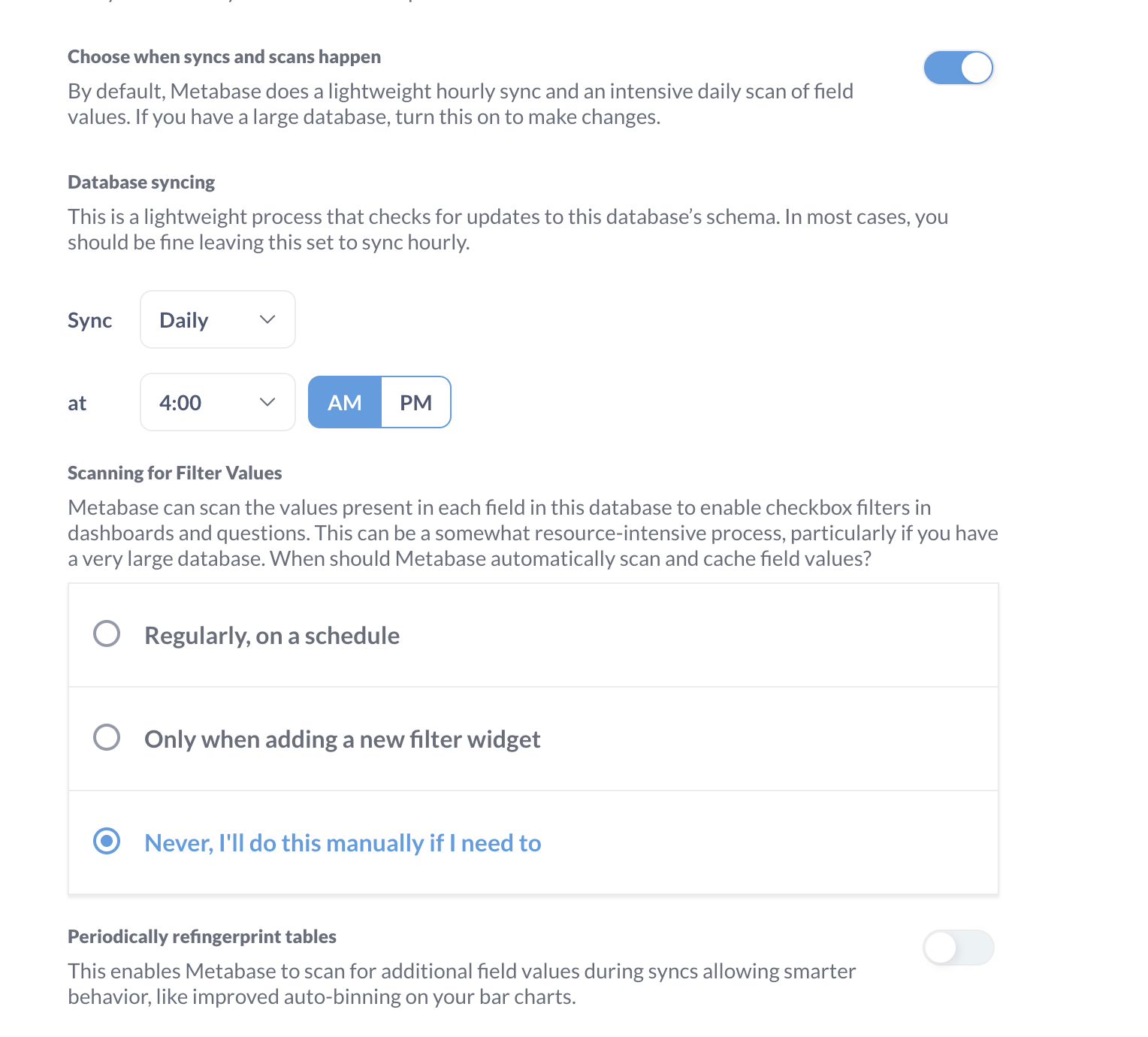
When I am upgrading my current metabase version from 0.49 to 0.54, my datatypes are getting changed from No semantic Type to Category which is affecting all the dashboards.
I have disabled the refingerprint tables scanning, still it is happening.
What is the best way to avoid this as we have more than 500 tables in production
This is happening for all the tables?
What do you mean by update??
Updating the version?? - This is our prod issue so all dashboards will be affected.
We have around 200+ dashboards so cannot proceed with update directly without solving this issue.
There was an issue addressed during 56 that allows manual metadata settings to override detected settings. It might help here. Clone your app database and test the upgrade on that. (User vs. automatic setting conflicts have been an ongoing issue, see the GitHub issue linked below.)
0.49 to 0.57 might invoke the Great Permission Reorganization which takes a long time if you have a large number of dashboards & tables. Run a test migration first so you know how long its going to take.
The Metabase folks usually encourage doing upgrades like this one major version at a time. If the migration fails along the way, you’ll know between which versions it happens. Otherwise you have to go through the migration spec file manually to see which one it is, then figure out why it is failing.
Thanks, @Lourival@dwhitemv . Just to confirm my understanding — in our staging environment we’re currently on v0.54, so if we upgrade to v0.56 (with fingerprint scan turned off), that should ideally override or fix the semantic type issue, right?
Also, for production, since we’ll be moving from v0.49 → v0.56, just wanted to double-check — our existing settings and metadata (like semantic types, custom field configs, etc.) won’t get overwritten during this upgrade, correct? Everything should remain as is?
And finally, for v0.56 → v0.57, do you recommend upgrading directly after that or testing it separately once we confirm stability on 0.56?
We recently upgraded our staging environment from version 0.54 to 0.56.15, and we’re now encountering a new issue with our ClickHouse database, specifically in the system tables.
When running the following query:
SELECT *
FROM system.query_log
WHERE event_time > now()
  AND type = 'QueryFinish'
  AND user = 'metabase'
  AND query_kind = 'Select'
ORDER BY event_time DESC
LIMIT 50;
When we include the columns address or initial_address in the SELECT statement, we get the following error:
Failed to convert /10.20.65.7 to java.net.Inet6Address
We’re using ClickHouse with the inbuilt driver.
Is this a known issue or has there been any change in how IP addresses are handled in version 0.56.15?
The Clickhouse JDBC driver has been upgraded at different times in that time frame. Notably in 54.12 the driver was reverted to an earlier version due to bugs. I know they were holding off on another upgrade while bugs were fixed in more modern times, I’d have to go through the GitHub issues again to figure out when.
If you query the query_log with the clickhouse CLI tool, do you have IPv4 addresses in those columns? Especially with that slash in front of it?
query_log.address and query_log.initial_address are defined as IPv6 columns in current versions of ClickHouse, so they should be printed as IPv4-mapped IPv6 addresses (i.e., ::ffff:10.10.10.10) if they are from IPv4 connections. Whatever the driver is kicking out isn’t the correct format and of course it fails to convert to a Java IPv6 object. Not out of the realm of possibility it’s another bug in the JDBC driver.
If somehow there are corrupted records in the query_log then you’ll have to discard them, or don’t query those columns. Also make sure someone hasn’t made system.query_log a view over older query_log files, where the schema has changed. That will cause all sorts of explosions.