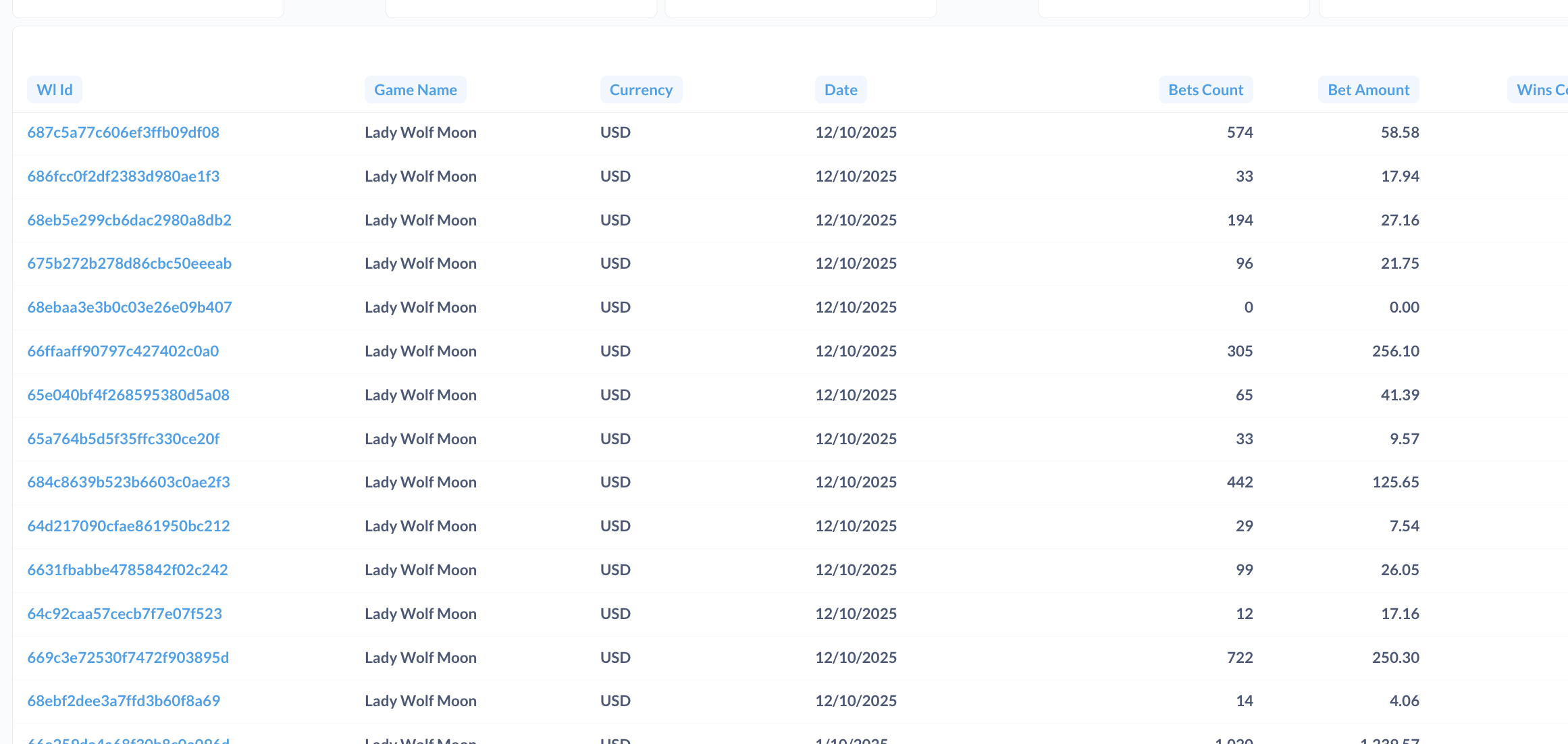
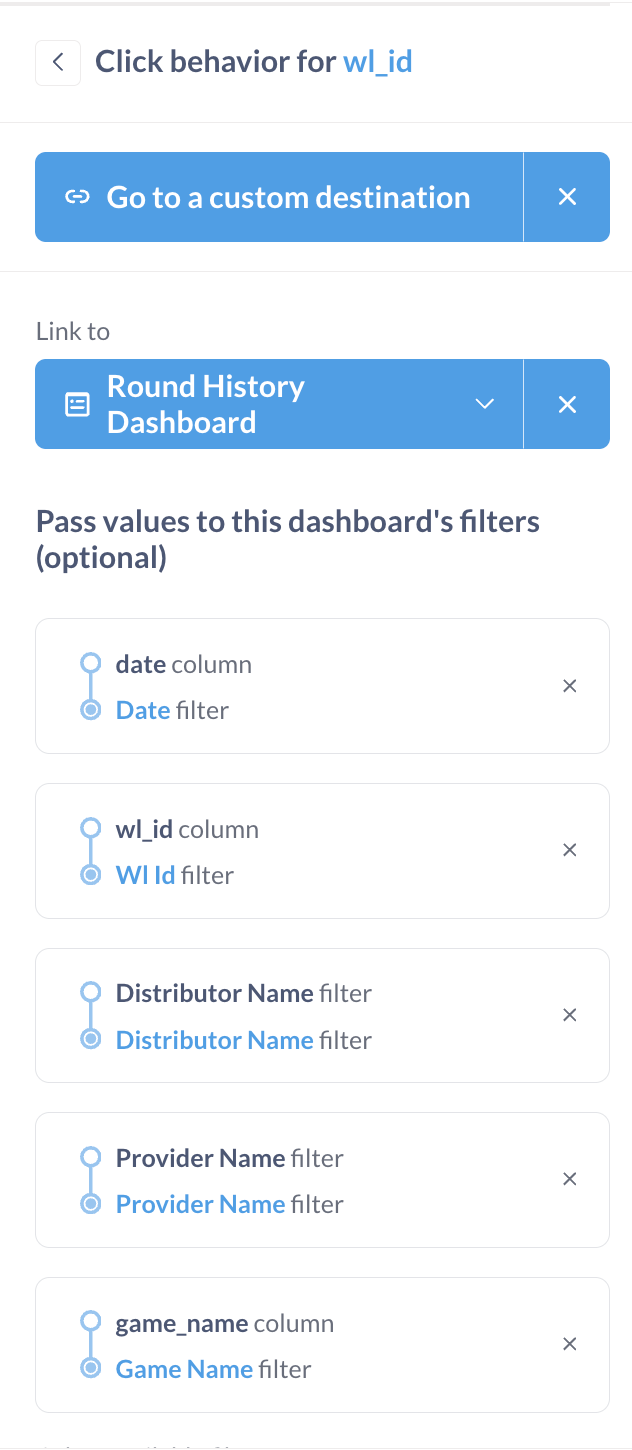
When clicked everything is set up except date. Log says: :error "Unable to substitute parameters: Don't know how to parse date param '2025-10-12T00:00:00Z' — invalid format",
It passes timestampz instead of date. My raw table has date datatype for column date which is used as a column in the table:
I even tried to cast it explicitly to date in the SQL query but click still passes timestampz value which date filter in the destination dashboard can’t handle.
What database are you running the source and destination dashboard query on? And of course, what version of Metabase are you running?
The Don't know how to parse date param error seems to be coming from Metabase itself, Google doesn’t hit on anything related to the message coming from a database.
My attempt to reproduce this (on Metabase 57.5, PostgreSQL) generated a different, but possibly related, problem. The setup was to create a dashboard with one card, a table with a date type column, written in the notebook editor. I then duplicated the dashboard, to create source and destination copies. In the destination, I created a Date Picker filter attached to the date column. In the source, I set up a click action to go to a destination – the destination dashboard – and set the date filter to the source and destination of the filter as the date columns. Clicking the field in the source throws the error:
:error "Unsupported temporal bucketing: You can't bucket a :type/Date Field by :minute."
Low and behold, the date filter has a date and time set in it. Opening the filter and clicking ‘remove time’ at the bottom allows the filter to run successfully.
What all that tells me is there’s a bug where Metabase is promoting date type columns to a timestamp before sending it to the destination table, but isn’t reducing the timestamp back to a date before applying it to the filter.
I’ll see if I can reproduce this on Sample Database and write up a bug report later this evening.