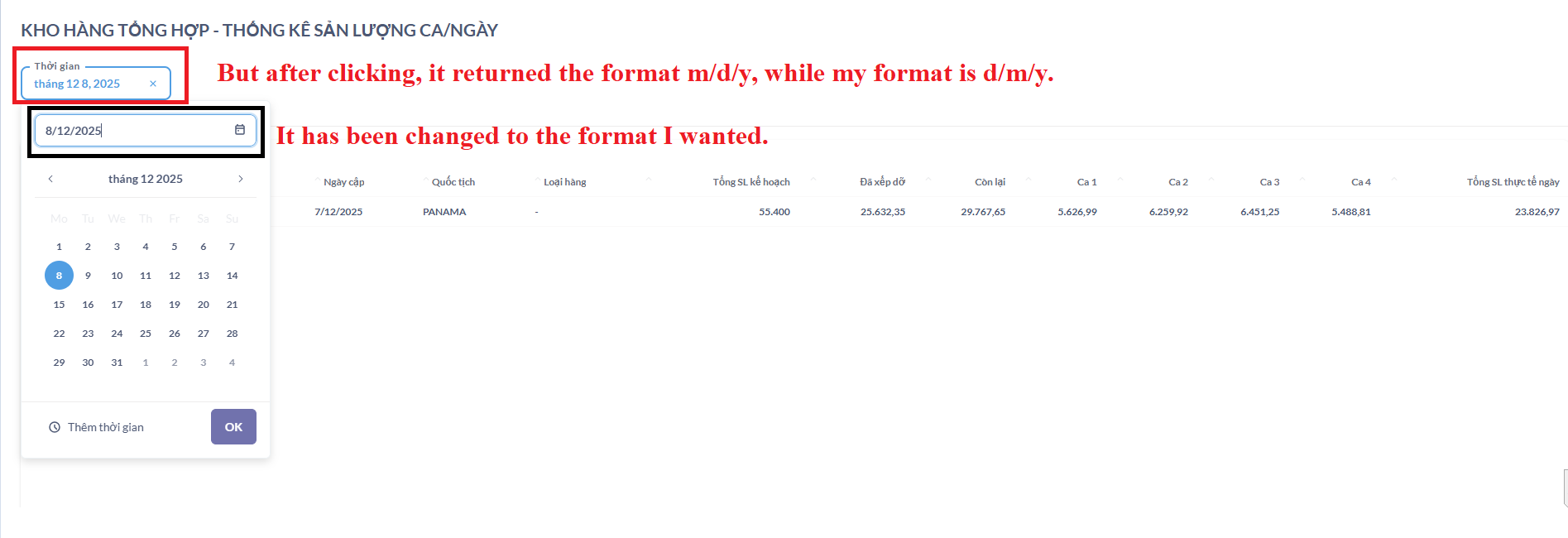
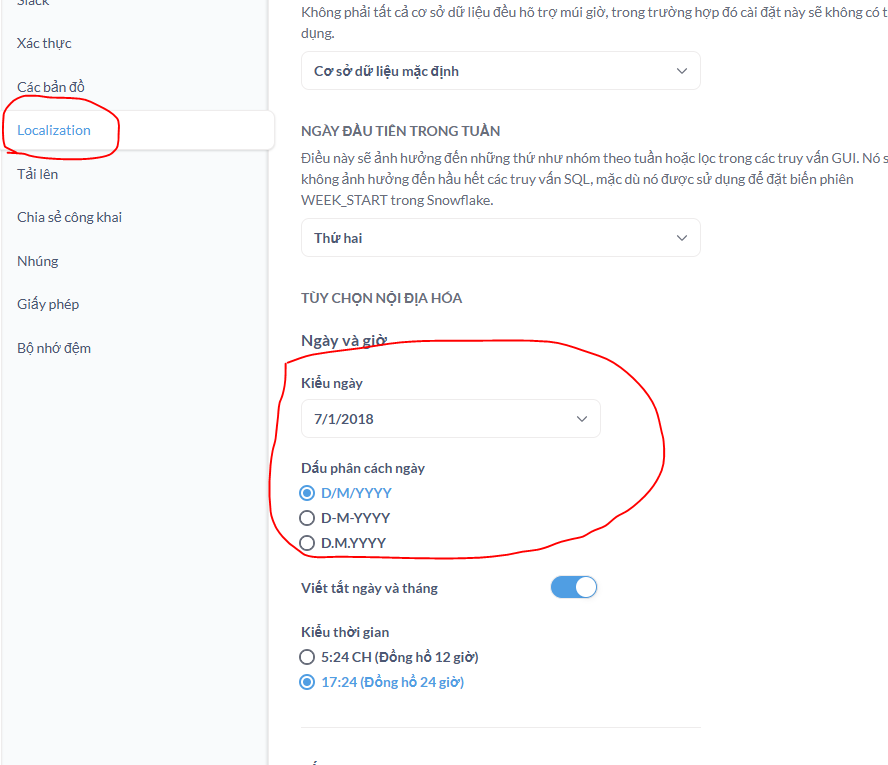
I changed the time display format to d/m/y, but when I select it, it reverts to m/d/y. Is there a way to change it back?
This GitHub issue appears to be related:
opened 10:29AM - 05 Nov 25 UTC
Type:Bug
Priority:P2
Reporting/Dashboards
Querying/Parameters & Variables
Difficulty:Medium
.Frontend
.Team/Querying
Reporting/Dashboards/Filters & Parameters
.Auto triaged
Triaged Manually
.Triaged Dec 2025
### Describe the bug
The date range filter always displays dates in a long form… at (“September 9, 2025”), even though the global date format under Admin Settings → Localization is set to a different format.
### To Reproduce
1. Go to Admin Settings → Localization → Dates and times, and set Date Style to a specific format (e.g., “31 Jan, 2018”).
<img width="1634" height="770" alt="Image" src="https://github.com/user-attachments/assets/39a36b84-3113-489c-ba71-4138e7194480" />
2. Create a dashboard with a date range filter.
3. Select a date range in the dashboard and observe the filter displaying the range in a different format.
<img width="972" height="94" alt="Image" src="https://github.com/user-attachments/assets/7546240c-e8f1-4407-99e1-03e9fab4f2f8" />
### Expected behavior
The date range filter should respect the global date format settings defined in Admin Settings → Localization.
### Logs
_No response_
### Information about your Metabase installation
```JSON
v1.56.12
```
### Severity
P2 - It is not a blocker but it breaks visual consistency and results in lengthy text in filters. Reported by a Pro customer.
### Additional context
_No response_
Followup, I read the linked issue and apparently the date/time format in filter widgets is controlled by your browser locale settings. Check your system settings for the ability to change the format of that value, if supported by your operating system.
opened 07:44AM - 24 Mar 25 UTC
closed 06:40PM - 12 Jun 25 UTC
Type:Bug
Priority:P3
Querying/Parameters & Variables
.Frontend
.Product Input Needed
.Team/Querying
### Describe the bug
In the admin panel we set a localization option and date f… ormat :

But it is not taken into account in filters :

It seems that this bug was introduced about two weeks ago. Before that, the date filters would follow the format DD/MM/YYYY as described in the settings.
Thank you
### To Reproduce
1. Go to Admin panel > Localization
2. Switch the date format to D/M/YYYY
3. Try to use exact dates filters
### Expected behavior
The dates should be displayed with the format set in the localization settings.
### Logs
_No response_
### Information about your Metabase installation
```JSON
{
"browser-info": {
"language": "fr-FR",
"platform": "MacIntel",
"userAgent": "Mozilla/5.0 (Macintosh; Intel Mac OS X 10_15_7) AppleWebKit/537.36 (KHTML, like Gecko) Chrome/134.0.0.0 Safari/537.36",
"vendor": "Google Inc."
},
"metabase-info": {
"databases": [
"postgres"
],
"run-mode": "prod",
"plan-alias": "pro-cloud",
"version": {
"date": "2025-03-12",
"tag": "v1.53.6.4",
"hash": "ac02037"
},
"settings": {
"report-timezone": null
},
"hosting-env": "unknown",
"application-database": "postgres"
}
}
```
### Severity
Not blocking
### Additional context
_No response_