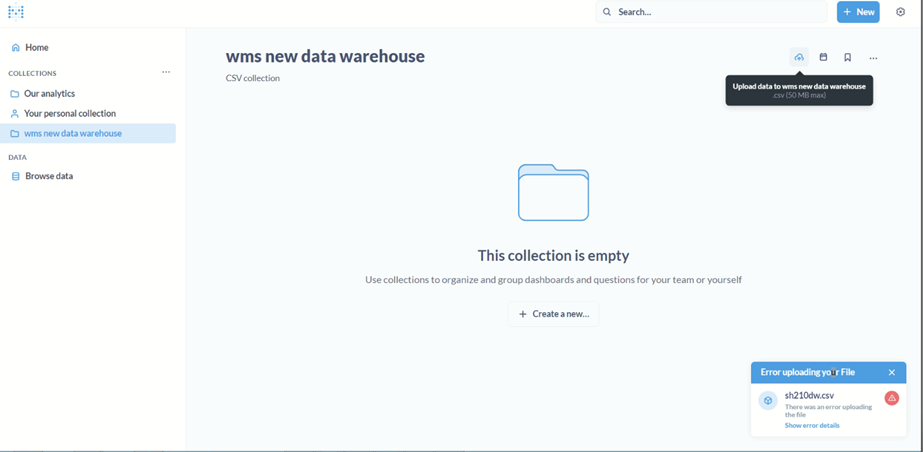
Error executing write query: (conn=159) LOAD DATA LOCAL INFILE asked for file 'C:UsersADMINI~1.ISIAppDataLocalTemp1upload_sh210dw_2023102711025212074053016703288338.tsv' that doesn't correspond to initial query LOAD DATA LOCAL INFILE 'C:\Users\ADMINI~1.ISI\AppData\Local\Temp\1\upload_sh210dw_2023102711025212074053016703288338.tsv' INTO TABLE upload_sh210dw_20231027110252 (plancarr, shipp00001, selec00001). Possible malicious proxy changing server answer ! Command interrupted
This is error generated in the logs:
"(conn=132336) LOAD DATA LOCAL INFILE asked for file 'C:Users751146~1AppDataLocalTemp2upload_net_metering_meters_2024032410073413429465925432923372.tsv' that doesn't correspond to initial query LOAD DATA LOCAL INFILE 'C:\Users\751146~1\AppData\Local\Temp\2\upload_net_metering_meters_2024032410073413429465925432923372.tsv' INTO TABLE upload_net_metering_meters_20240324100734 (benayat_nm_, s_supply, net_meter, ct_ratio, pv_meter, pv_ct_ration, pv_capacity__kw_, inverter_capacity__kw_, commissioning_date, nas). Possible malicious proxy changing server answer ! Command interrupted"}
It’ll take me a bit to set up a reproduction case to confirm the following, but give this a try.
The workaround is to disable use of LOAD DATA LOCAL using one of the following methods:
Globally in the database server: Set the local_infile global variable to 0 or false in the database configuration file or using the command-line parameter --local-infile=0. Do this only if you know you don’t use LOAD DATA LOCAL in anything that uses this database server.
Given the size limits on CSV uploads from Metabase I doubt the load data optimization results in any noticeable performance difference.
That said, Oracle etc. advise leaving local_infile disabled as it is fundamentally insecure and can lead to database security vulnerabilities.
EDIT: Set up the reproduction case with MySQL 8.0.43. The MariaDB JDBC connector that Metabase uses doesn’t actually honor the AllowLoadLocalInfile option, so that option doesn’t have any effect. Supposedly you can use the FILE privilege to control access to LOAD DATA, but I wasn’t able to make this work to deny access to the function, so the best bet is to disable it globally in the server and hope nothing else that uses the server the CSV database is on needs it. This could be different with other MySQL-oids like Maria.