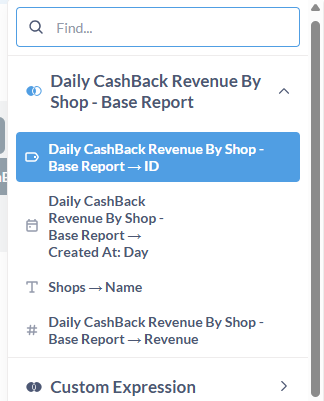
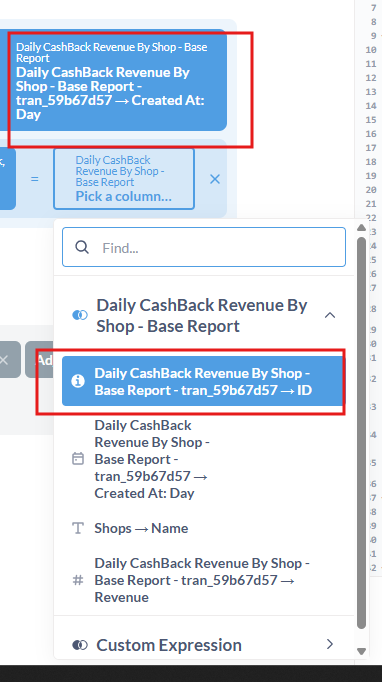
Okay so, we’ve had reports that no one has touched in months and they suddenly stopped loading. It’s throwing an error that it can’t find an underlying column and when I go to see the join, it shows a weird transaction number or sth instead of the column name.
But as I was writing this post, the column names seem to be appearing correctly now but it still fails to find the column, even though it’s being pulled correctly in the join.
Did something change as to how questions are joined in MB 56?
Actually, when joining the first columns, the col names show up fine but when i join it and load the other col to join, it also shows the weird transaction number
it only pops up when joining, the underlying report had the regular col names and the report itself was loading fine.
Our guess was that we had dropped a col from an underlying table, so maybe that sync failed on multiple levels of joins. So on the join it wouldn’t recognize the underlying table i guess and that’s why the funny-named cols were showing up, though it was very weird behavior.
That was my thought. I discovered the other day that dropping columns for a table doesn’t cause the columns to disappear from Metabase. It won’t output them if you select the missing columns in a notebook query, so it knows they aren’t there, but the column appears in the column list for the table at the top, so Metabase isn’t giving up on the column.
Wouldn’t surprise me if the behavior for this has changed over time.