When sharing Metabase public dashboards (public URLs) with external users, you might not want to expose your entire self-hosted Metabase instance. This was our situation: the customer needed access to a public dashboard, but everything else should stay accessible only inside the internal network.
The following example shows how this can be done with Nginx Proxy Manager (NPM), but the same principle can be applied with other reverse proxies as well.
We can now also create customizable customer URLs (if you have a valid ssl-certificate).
Requirements
-
A running Metabase instance (e.g.,
internal.example.com) -
Reverse proxy (example uses Nginx Proxy Manager)
-
A public DNS record pointing to the proxy server (e.g.,
external.example.com) -
A valid SSL certificate
Example NPM Configuration
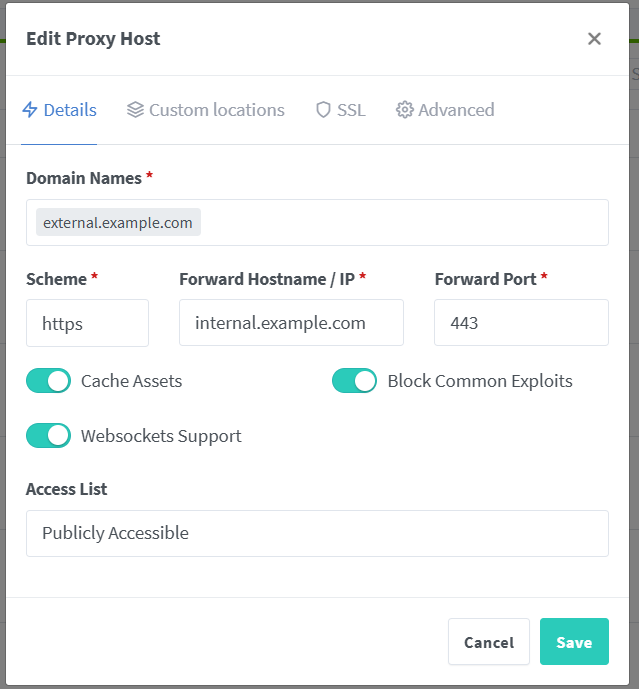
Create a proxy host in Nginx Proxy Manager with:
-
Hostname:
external.example.com -
Forward Hostname/IP:
internal.example.com
Then add the following custom location rules:
location /public/dashboard/ {
    proxy_pass https://internal.example.com;
}

location /api/public {
    proxy_pass https://internal.example.com;
}

location /app/ {
    proxy_pass https://internal.example.com;
}

location /favicon.ico {
    proxy_pass https://internal.example.com;
}

location / {
    return 403;
}
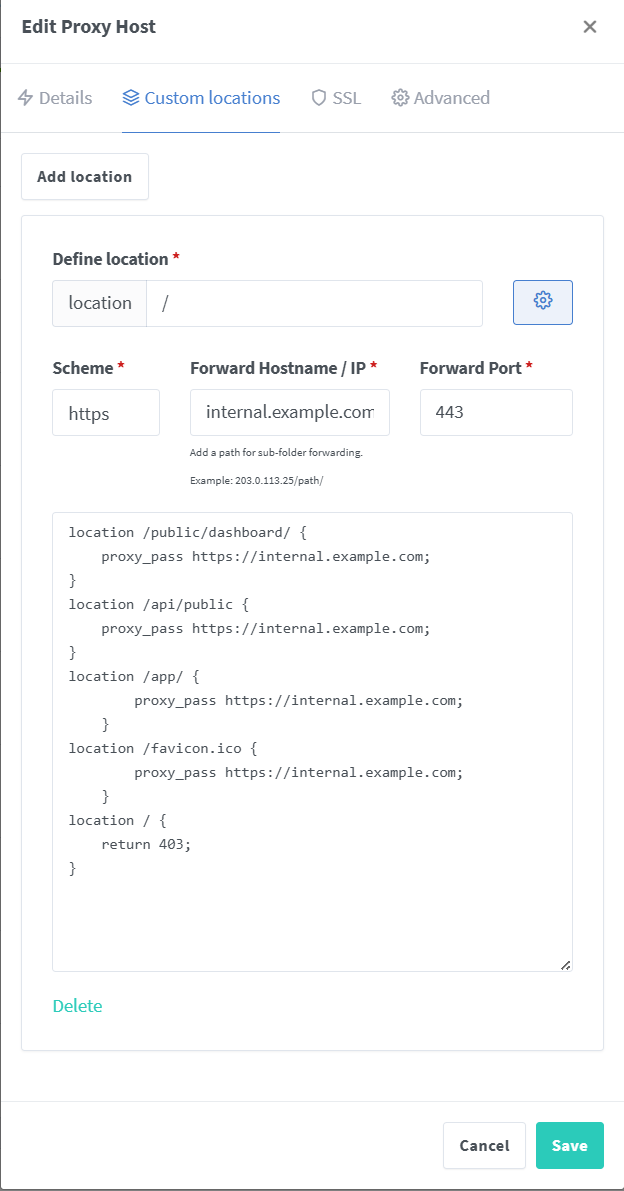
This ensures that only the necessary endpoints for public dashboards are reachable externally, while everything else returns a 403 Forbidden.
SSL Configuration
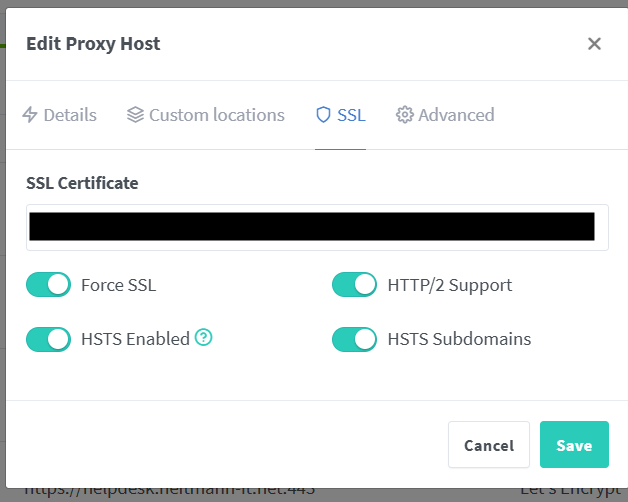
The following SSL configuration was used: