Hello,
I am encountering a permission-related issue in Metabase when trying to run a SQL query.
Issue:
Whenever I attempt to run a saved or new SQL query, I get the following screen:
Sorry, you don’t have permission to see that.
(Attached screenshot shows the error page.)
Details:
-
Metabase Version: 0.52.2
-
Database Type: MySQL
-
User Role: Admin
-
What I Tried:
Expected Behavior:
The query should run without permission errors. First it used to run SQL queries without this error.
Screenshot:
Attached for reference.
Thanks in advance for your help!
Can you post the log output around where this error occurred? Looking for any context that might point to what permission might be violated. (It might not be in metabase.)
Hi there, Here is the log when I try to run SQL query. Hopefully this might help to get more context.
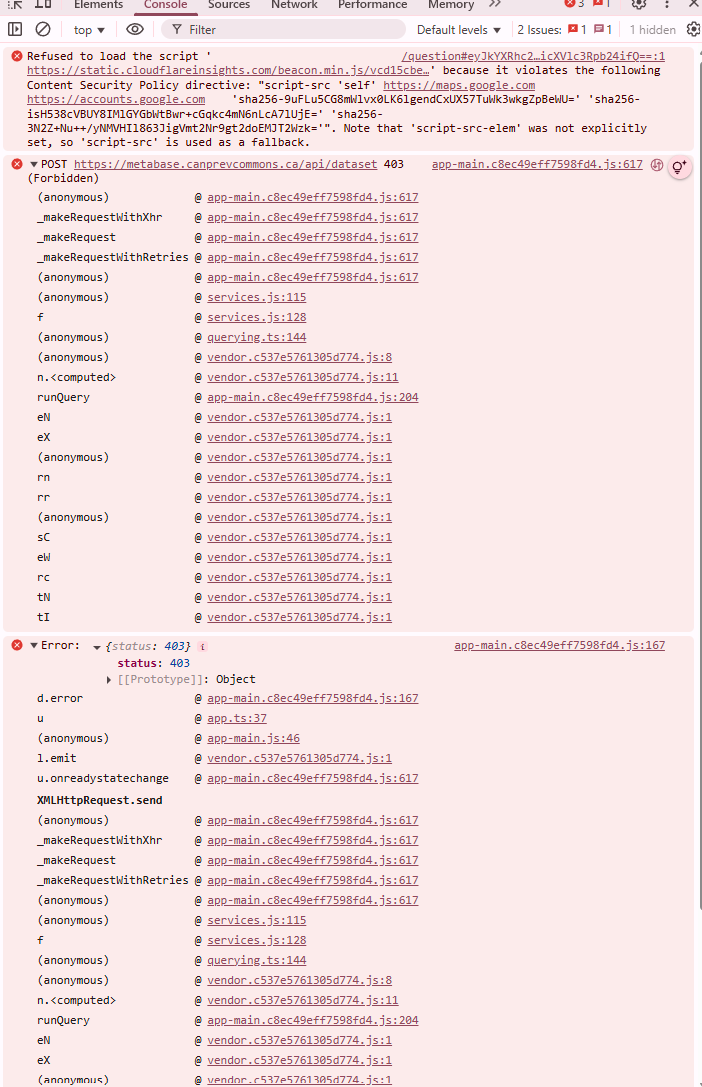
Hm, no errors there. Can you try disabling or whitelisting your Metabase site in your adblocker or enhanced tracking prevention, if its enabled? Also is there anything incriminating in the browser dev tools console?
I want to share more logs with you to have more clear understanding is it from Metabase or something from our side.
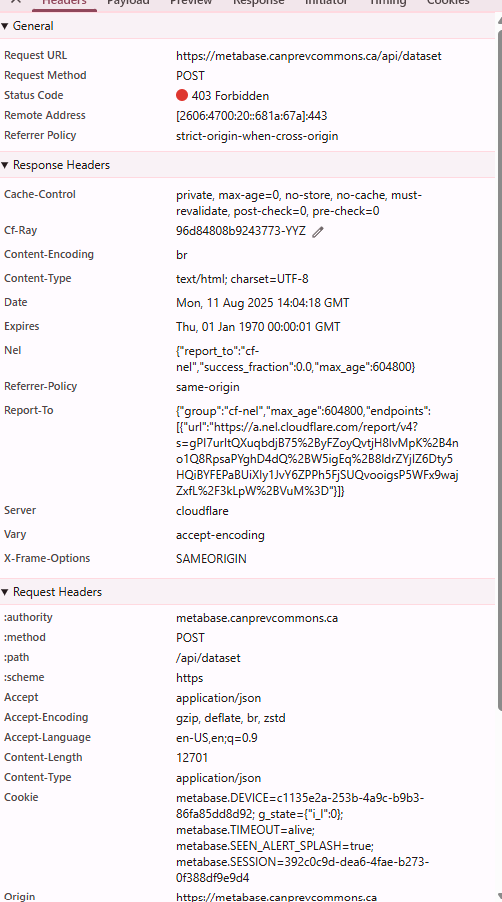
You’re using Cloudflare as a CDN and Metabase as the origin? Is the error appearing on an embedded dashboard?
Looks like its Cloudflare that’s throwing the 403, so something is triggering the Cloudflare WAF. Check your WAF logs and whitelist as needed.
It’s common for WAFs to have rules looking for SQL queries, assuming they are SQL injection attack attempts.
Added the exception in Cloudflare and it is fixed. Thanks!!
Good to hear! Please click the ‘Solution’ box on my reply to mark the question as solved.
That was 2 Cloudflare WAF related questions in a week, I’m guessing they changed something.