In MariaDB I have a field setup as:
`initialized` TINYINT(4) NULL DEFAULT NULL,
Metabase’s Query Builder shows 1 or 0 instead of True/False. How can I change this?
In MariaDB I have a field setup as:
`initialized` TINYINT(4) NULL DEFAULT NULL,
Metabase’s Query Builder shows 1 or 0 instead of True/False. How can I change this?
Hi @tuaris
Add the following to “Additional JDBC connection string options” in Databases configuration: tinyInt1isBit=false
EDIT:
I think I misunderstood your question as the opposite. If you change your column to ´tinyint(1)`, then it should automatically show as true/false.
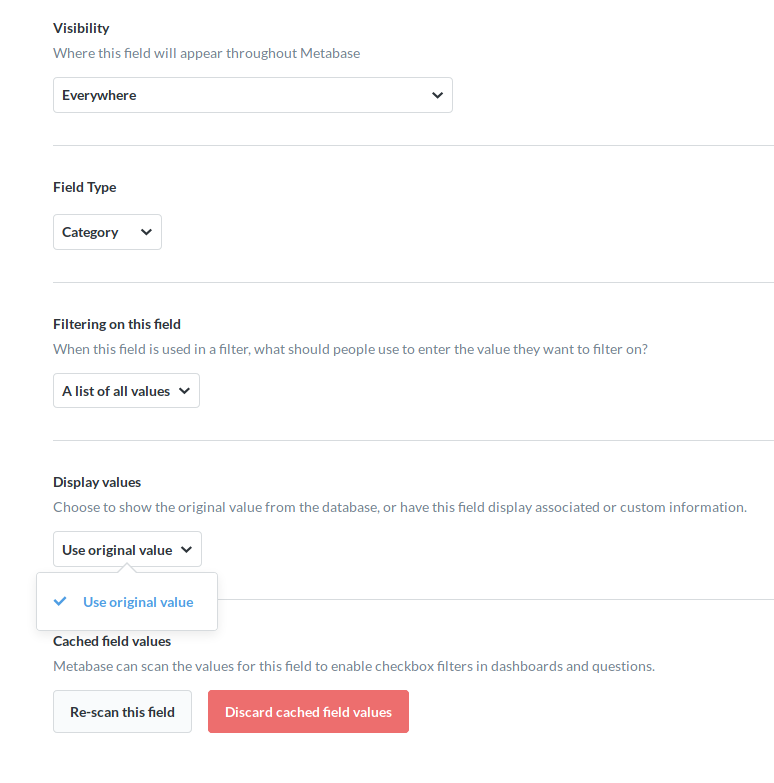
Otherwise you would have to create a Custom Mapping in Settings > Admin > Data Model > (database) > (table) > (column)  > Display Values = Custom Mapping.
Got it, changing the column size makes sense. Thank you.
Interestingly though, the option to custom map the field values didn't show up for me.
Custom Mapping depends on what field type is selected - both in the database and Metabase.