I have a pre-existing metric, created a couple of weeks ago, but now I need to update that metric definition.
The steps to do this are very unintuitive.
If I go to Menu → Data → Metrics → → Editor →
I cannot see the original logic, just a bracketed string.
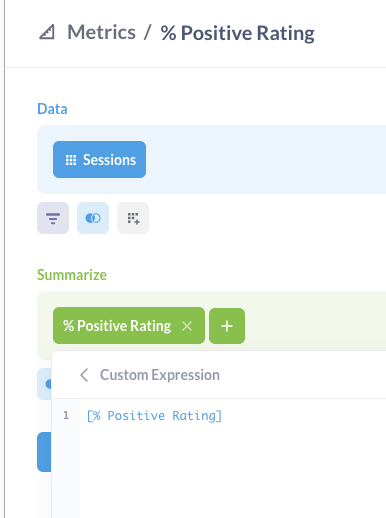
So I delete that, then add a new equation. But then when I go to save, it asks me to add to a dashboard. So it is being saved as a new question, not overwriting the original Metric.
I understand now I have to use the 3 dot menu to edit the metric definition, but this is very unintuitive given the natural premise of clicking Metrics → Editor