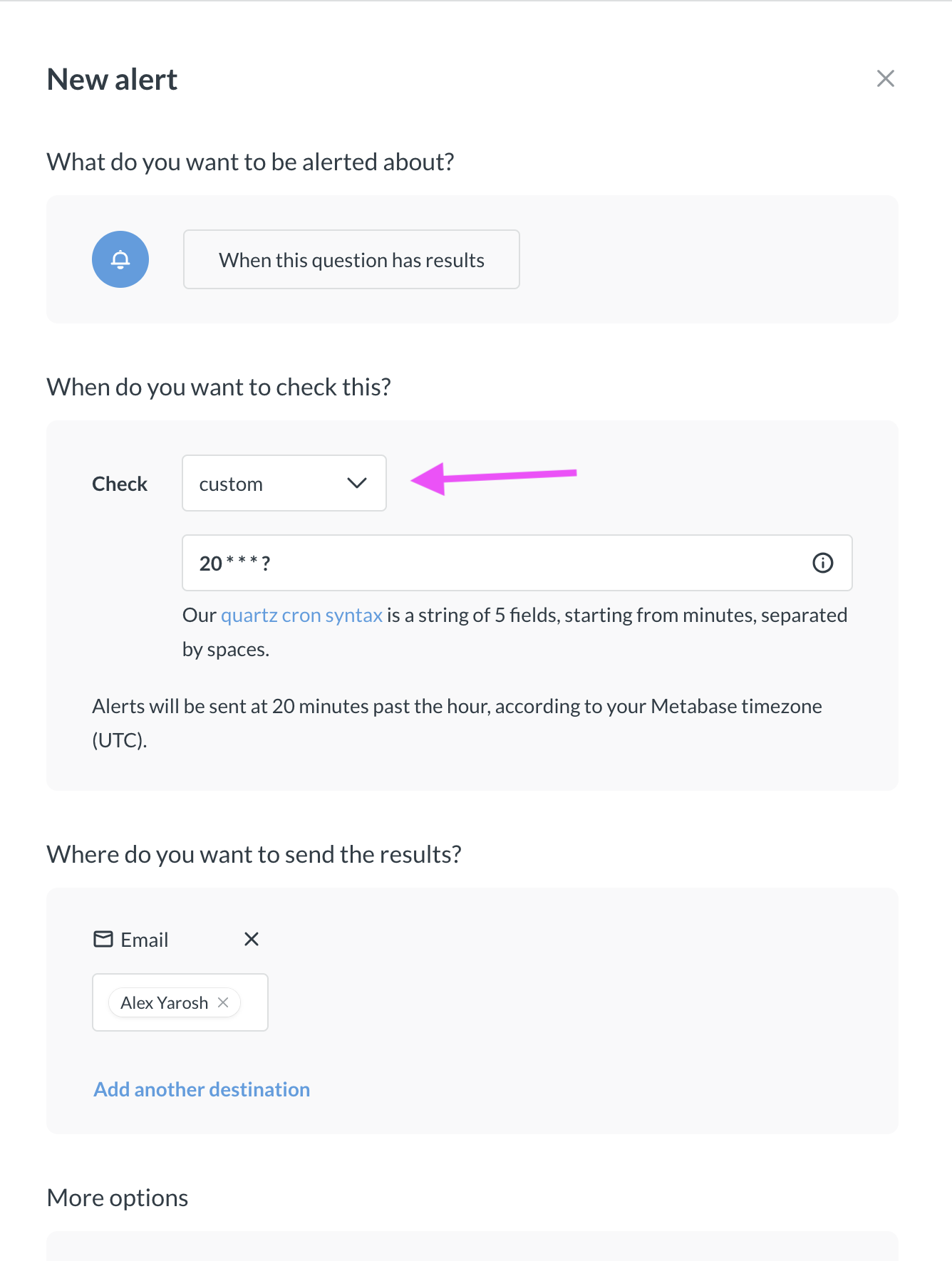
I’ve been having problems with alerts not sending. I thought it was transforms that were refreshing materialised views, but still happening after disabling them.
While investigating, I’ve found the notification_subscription table that contains all the subscriptions and their schedules.
The schedules are just standard cron syntax, so it should be possible to change them manually to run at slightly different intervals to those available in the UI.
Before I break my customer’s server, has anybody else tried this?
The alerts not sending are in a separate thread. Looks like it’s due to long running queries. Solving by checking my customer’s query performance and tweaking the DB.
For the Cron syntax, it didn’t run yesterday but I don’t know when the information is passed to Cron. Fingers crossed for 1215 today!
For those interested in changing the schedules manually, it can be done!
I've not completely got this cracked but I'm now receiving an alert at 20 past the hour!
It may not be quite as long-winded as this, but it worked for me:
Find the ID of the alert you want to change in the Admin/Alerts section.
In the Metabase database, find the notification_subscription record for that alert.
Change the cron_schedule column to what you need.
Restart the server so it's picked up (this may not be needed, see below).
This didn't work for me at first, the alert just didn't send. I modified the schedule in the UI and found that it only changed the hour, leaving the minutes as set. Alert is now sending correctly.
Not sure if the last step was needed due to me entering the schedule slightly incorrectly.