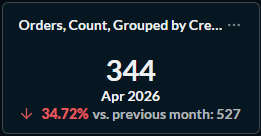
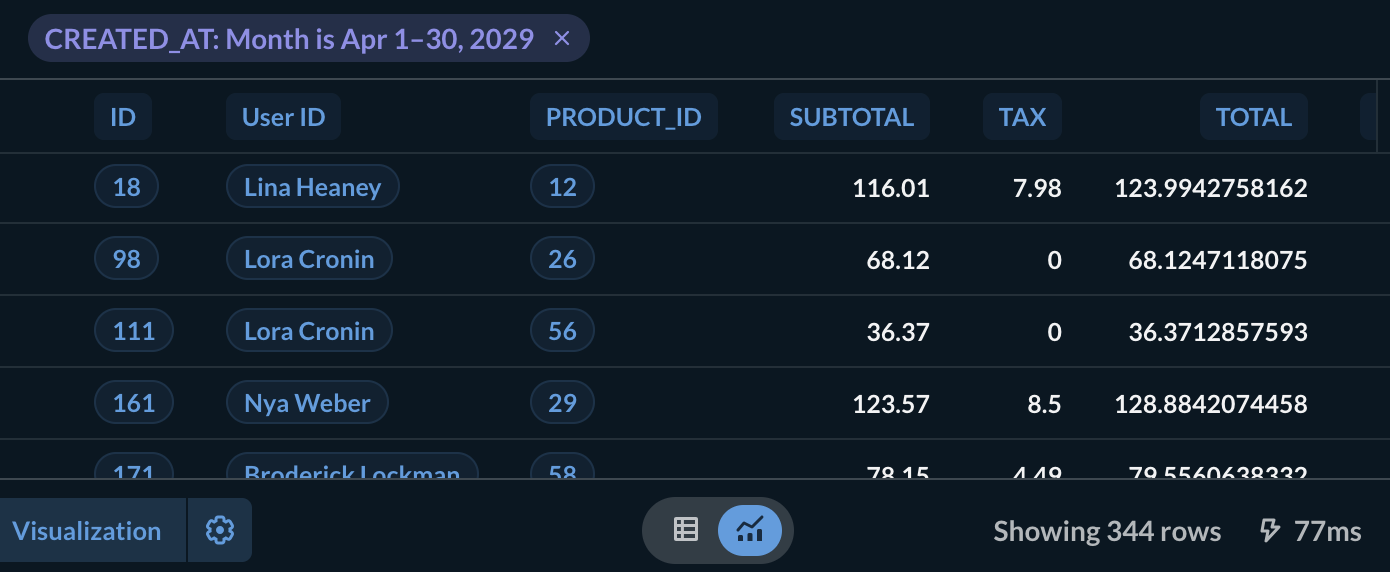
The front says 2, but the drill through show 10 rows, which is actually the previous row data.
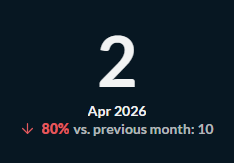
Also, why the filter set to march?

The front says 2, but the drill through show 10 rows, which is actually the previous row data.
Also, why the filter set to march?
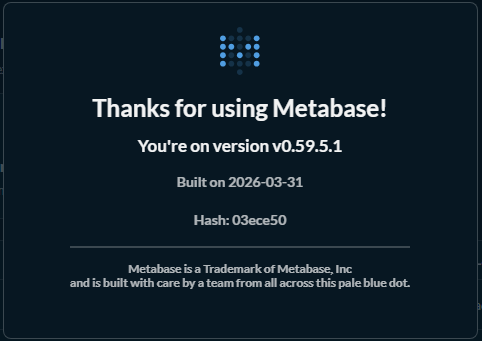
Please explain how to reproduce this behavior. Also, what Metabase version are you running?
A quick check of the number viz with the example db shows everything working okay.
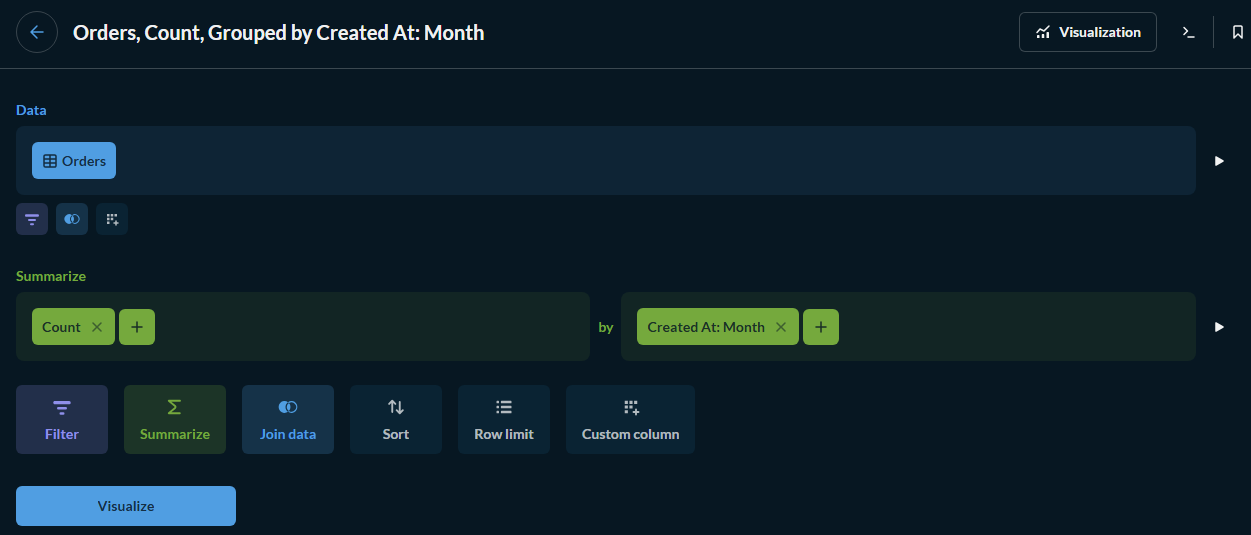
Create new question, you can use the sample database, choose ‘Order’ table, then visualize.
Summarize Count by Created At: Month, then choose Trend visualization. The front will look like this:
But the drill through will show 527 rows instead of 344.
Hm, it is working correctly here. One difference, though, is that I’m running a version that has the updated Sample Database to run through 2029. Check that the filter is using the correct time range.
Also try reloading the drill-down table page; there is a bug floating around that causes the filter to not propagate correctly the first time, but reloading the page loads the correct filter. (This appears mostly on timeseries charts with a painted time range.)
I have reload few times but the result persist.
How to check what version I’m using? I only received link, username and password to this Metabase. Might have to check with my seniors.
Click the upper-right menu (either a Metabase logo or a set of boxes) and select either ‘About Metabase’ or Help then About Metabase. You will get a “Thanks for using Metabase” dialog with the version in it.
I set up a test instance using 59.5 (ended up being 0.59.5.2, fresh app db, mostly default settings) and wasn’t able to reproduce it there either, still showing 344 rows.
Have you tried dropping the browser cache, in case an old version of the metabase client code is stuck in there? It shouldn’t happen, each version randomizes the asset names, but it could be affected by any local proxy caches between you and the server location.
Thank you for time.
While we are at it, any idea how to utilize dashboard filter ‘Year’ and ‘Month’ to apply on trends card? The problem is trend is comparing the current row with the row previous to it which most likely have different month. So the filter will delete the rows that is not the same value, hence the current row have nothing to compare to. Maybe we can use the filter as ‘pointer’ instead of actually filtering out rows?
It is okay if you ignore this reply. We are moving on from the main discussion.
The trend viz is picky in how it handles input data, as you found. It works best if the filter chooses a point in time as its basis (like an “as of” time), and the backing query generates the comparison data based on that.
Time range filters will can cause problems as the filter could exclude the comparison data. You can overcome this with some clever query writing. Use a native query so you can directly manipulate the filter itself, i.e., {{date_filter}} - interval ‘1 year’to ensure there’s at least a year’s data.
Query wise I can handle this problem. But I need the drill through feature that query do not have. Which is why I’m trying to figure out how to apply ‘Month’ dashboard filter while keeping the row previous to it at least.