Unable to Complete Metabase Setup on Azure

Hello,

I am experiencing issues while setting up a Metabase on Azure following the documentation provided(Running Metabase on Microsoft Azure | Metabase Documentation).

Below are the steps I have taken so far and the problems I am encountering:

  1. Web App Creation:
  • Created a Web App with the publishing model set to Container.
  • Uploaded the latest version of Metabase to the Container registry.
  1. PostgreSQL Database:
  • Created a PostgreSQL database for configuration purposes.
  1. Environment Variable:
  • Added the environment variable MB_DB_CONNECTION_URI to the app with the following PostgreSQL connection string:
  • postgresql://[Name].database.azure.com:5432/postgres?user=%40[Name].database.azure.com&password=[Password]&ssl=true&sslmode=require
  • Connection Details:
  • Server Name: .database.azure.com
  • Username: @.database.azure.com
  • Password:
  • Database Name: postgres

When I run the application, it initiates setup but never completes. The setup process remains incomplete even after several hours. Additionally, I observed errors related to API health checks in the console.

I have attempted to set the private IP address, but the issue persists.

Please guide me through any additional steps or configurations that may be necessary.

I am attaching a screenshot of the app and the API health check for your reference.

Thank you in advance for your help.

Application:

API:

Hi @epssafety1 did you have any luck resolving this? I've been pulling my hair out all day on this

The azure guide is extremely old and will not work. I wrote it many years ago and it needs to be updated

Thanks @dragonsahead - I assume it's something to do with the connection string as the postgres db is accessible as a normally connected database within metabase. Any tips? Thanks

I'm pretty sure it's the networking, things have changed a lot in vnets and the guide I made is no longer relevant. I might delete it soon

Will there be a new azure setup documentation? Trying to set this up, but as you’ve said it’s very out of date. Tearing my hair out, if I can’t get this setup then I’ll have to cancel before the trial ends.

Hi Everyone

I had the same problem as the old azure instructions don’t work anymore. After analyzing the web app logs and trying things out I landed on a solution which works with the updated azure set-up.

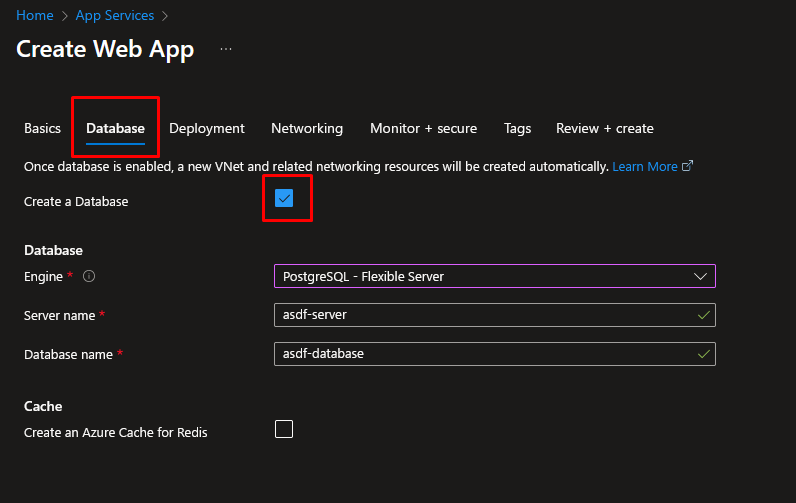
  1. You don’t have to create the vnet and postgresql server separately. Just create the database with the web app in one go

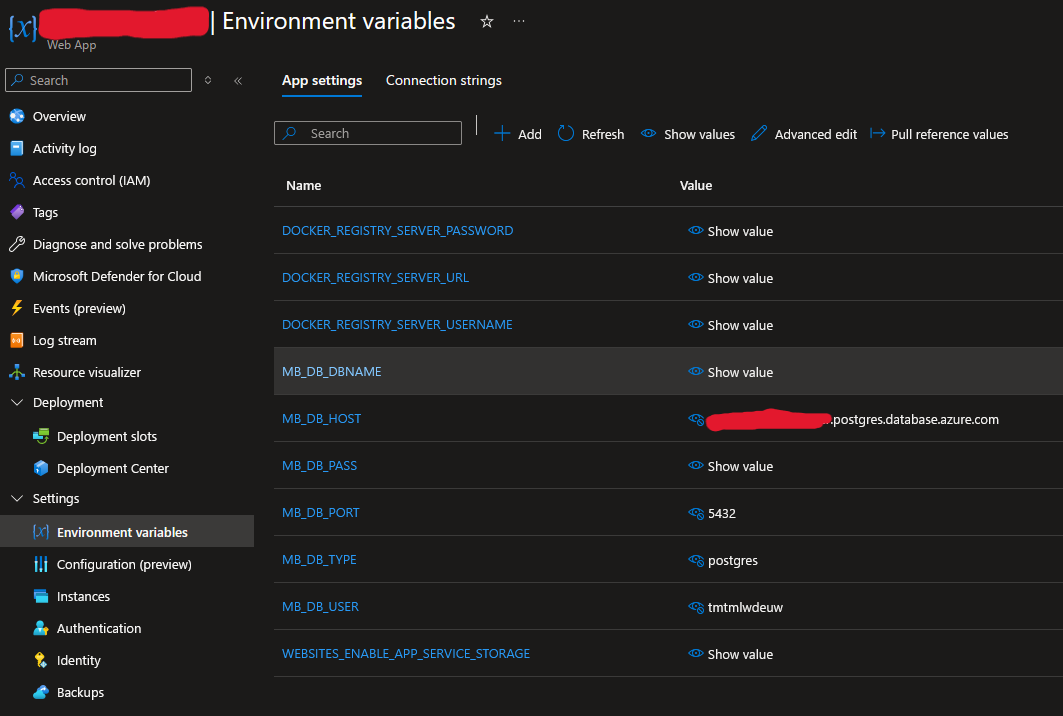
  2. The old connection string environment variable didn’t work either. I ended up using separate variables for host, username, etc…

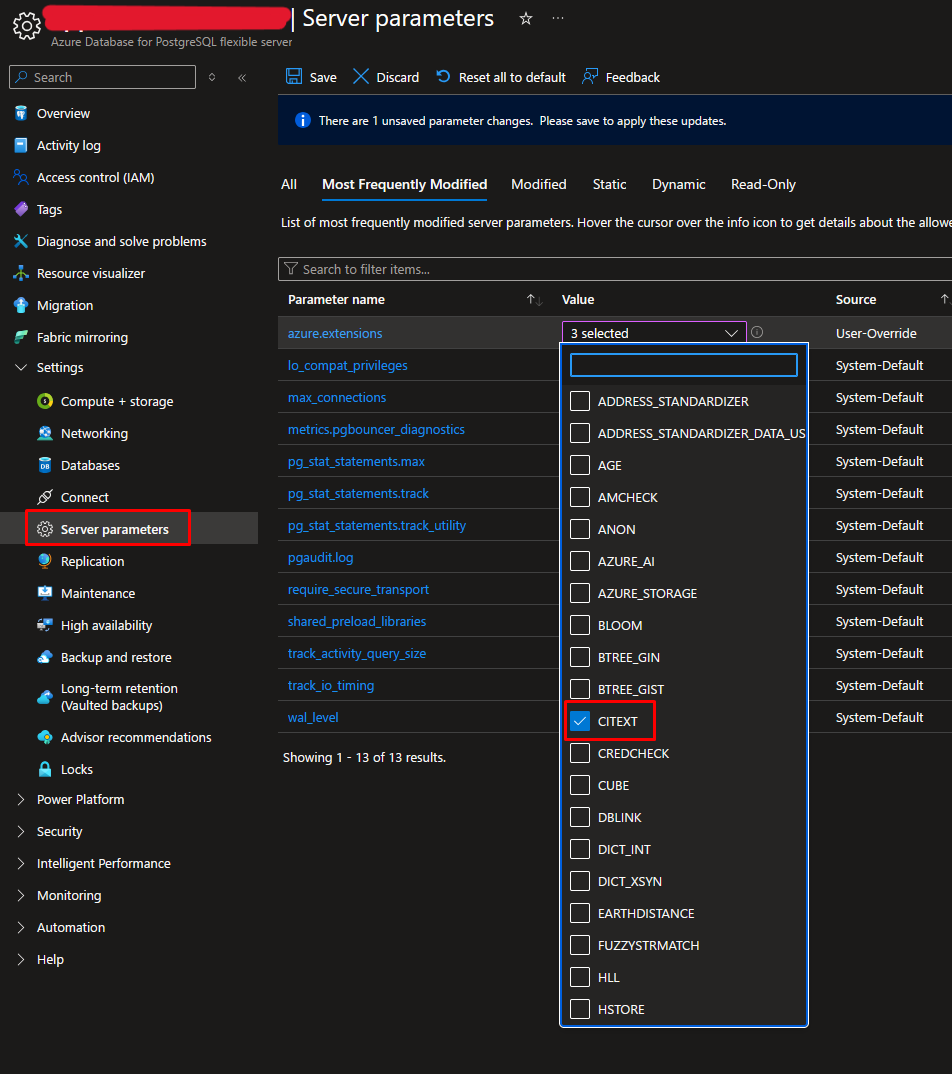
  3. In the end I also had to add the CITEXT extensions under the postgresql server parameter azure.extensions

That should do it. Hopefully this saves some time for someone.