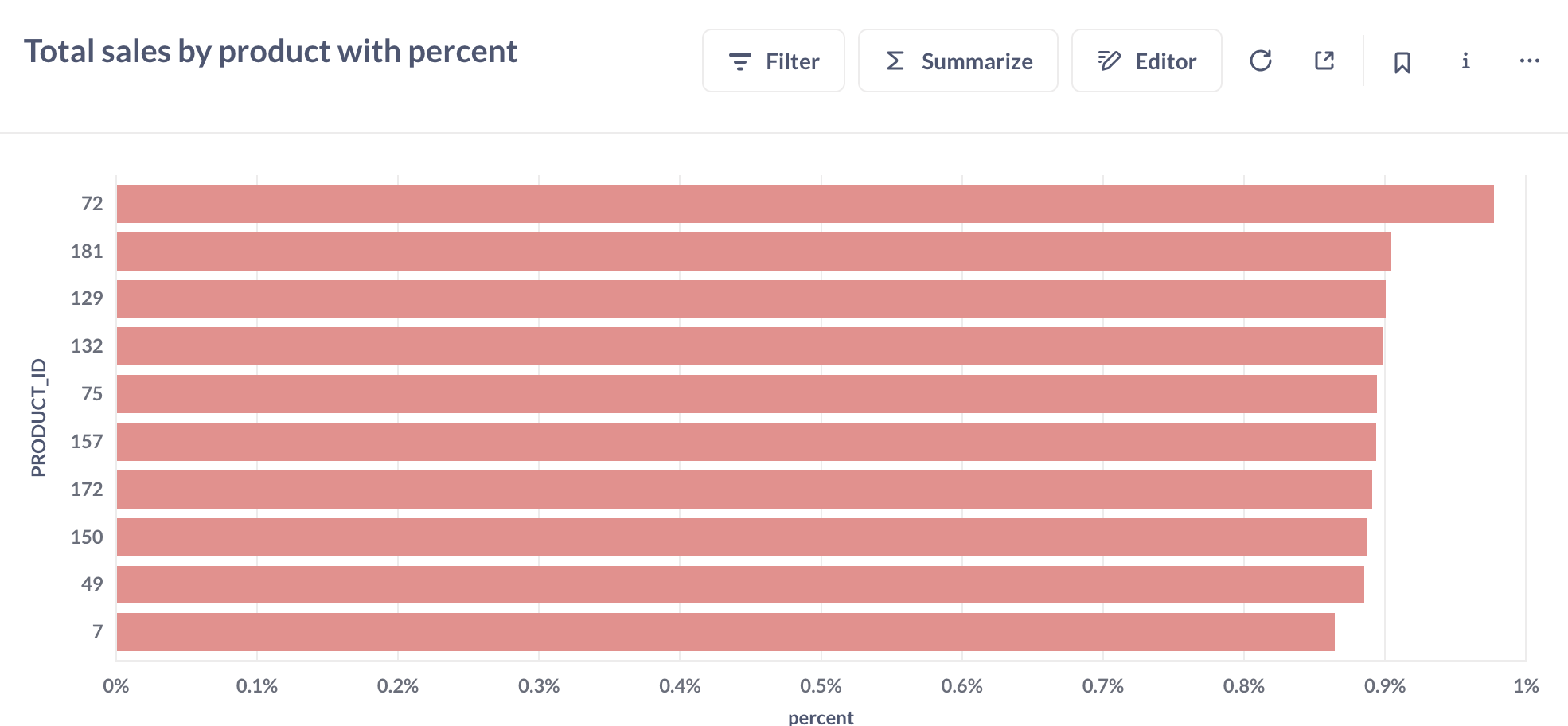
Looking at using Metabase to potentially replace an existing Reporting application.
Use case is for the dashboard to show a percentage figure as a ratio of the overall total value.
Given an Orders table with rows
Id
Value
1
50
2
100
3
50
We want to display using a table visualisation:
Id
Value
%
1
50
25%
2
100
50%
3
50
25%
There is no problem in displaying a percentage as a ratio of the value to another value on the same row/record, but we can't figure out how to display the percentage as a ratio of the total value from all rows.
How can this be achieved using Metabase?
Ideally without using custom SQL as we would like to employ other features like sandboxing. This is a show-stopper with regard to moving to Metabase.
Your need is the same as the one in the post linked below. The problem is generating the total sum of the column to calculate the percentage. In SQL you use a window function to add a total sum column that you use in the percentage calculation.
Since this post, Metabase 56 added custom expressions for join conditions in the query editor. It is now possible to cross join 2 questions with a 1=1 condition, so the difficulty in the post has been (conceptually) solved. On the downside, the query performance will be poor as it will take 2 passes through the data, one to calculate the total sum and another to calculate the percentage.
The assumption is that you want the percentage calculated using the rows visible in the sandbox. If you need the total sum including rows outside the sandbox, you’ll need to calculate it in the database itself, in a way that won’t get limited by the RLS predicate.
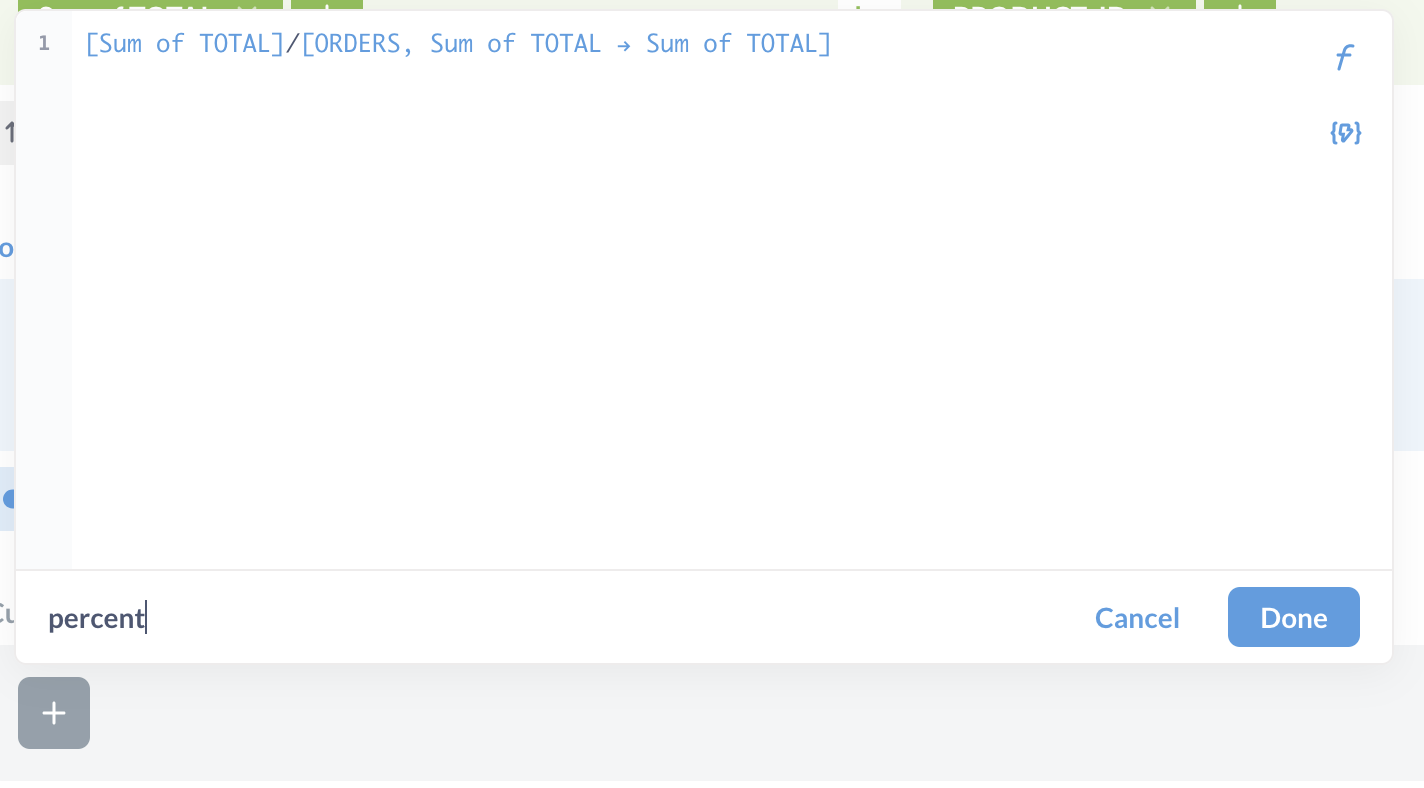
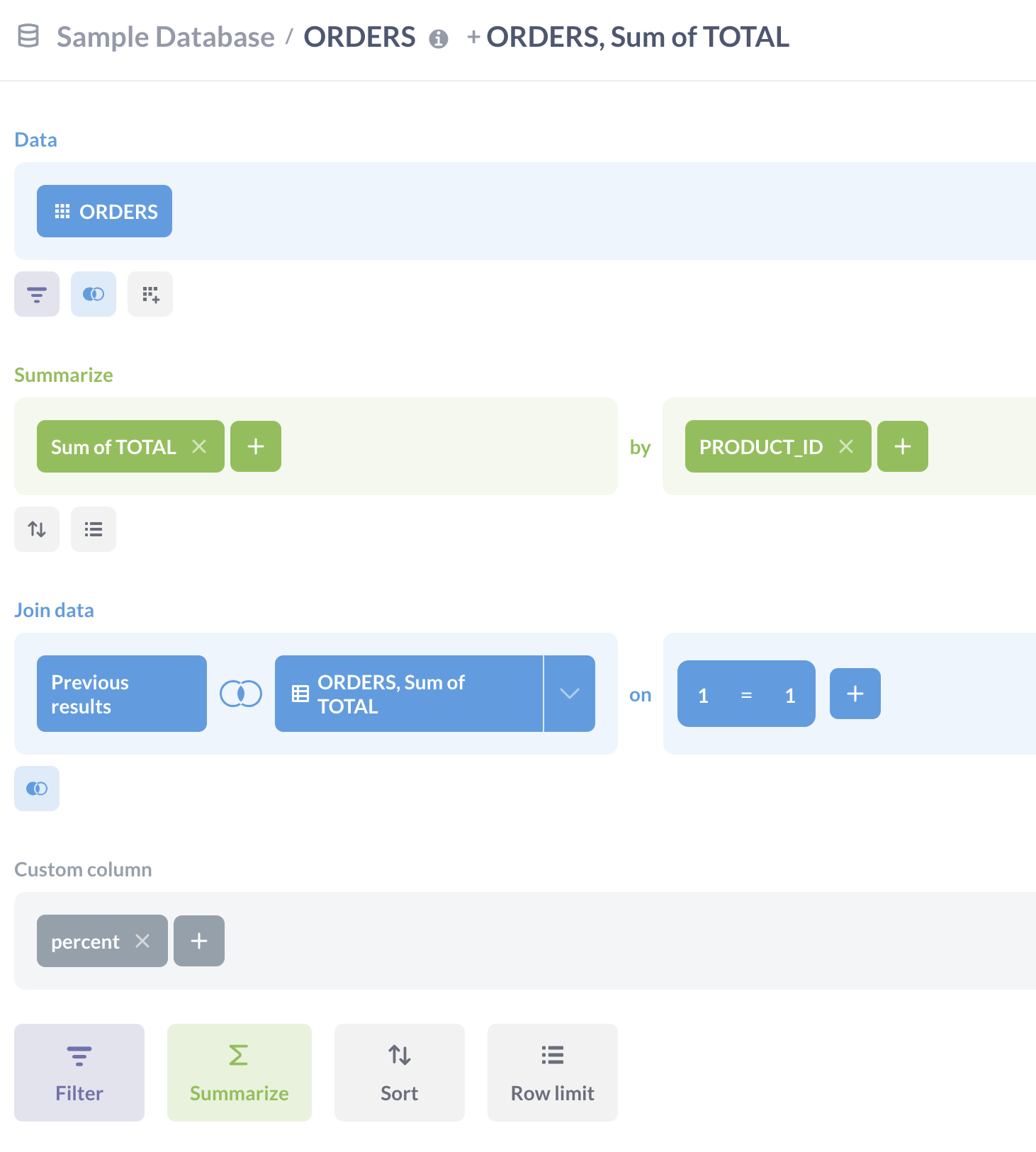
How to build the percentage calculation using the query editor (using Sample Database as an example):
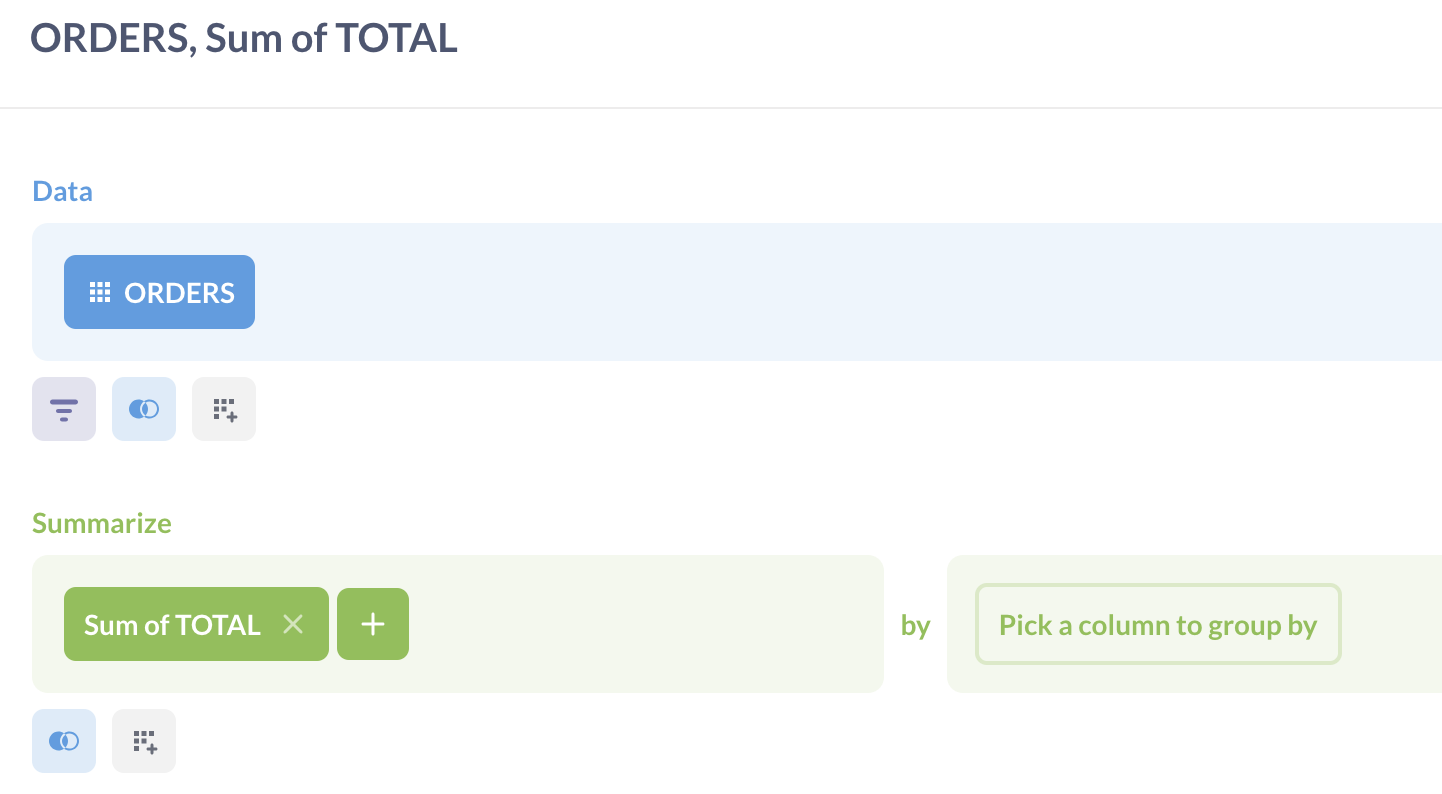
Write a new question that calculates the total sum of the column you want to base the percentage on. In this case we’re going to build a percentage of total sales by product, so sum all the TOTALs. Save it.
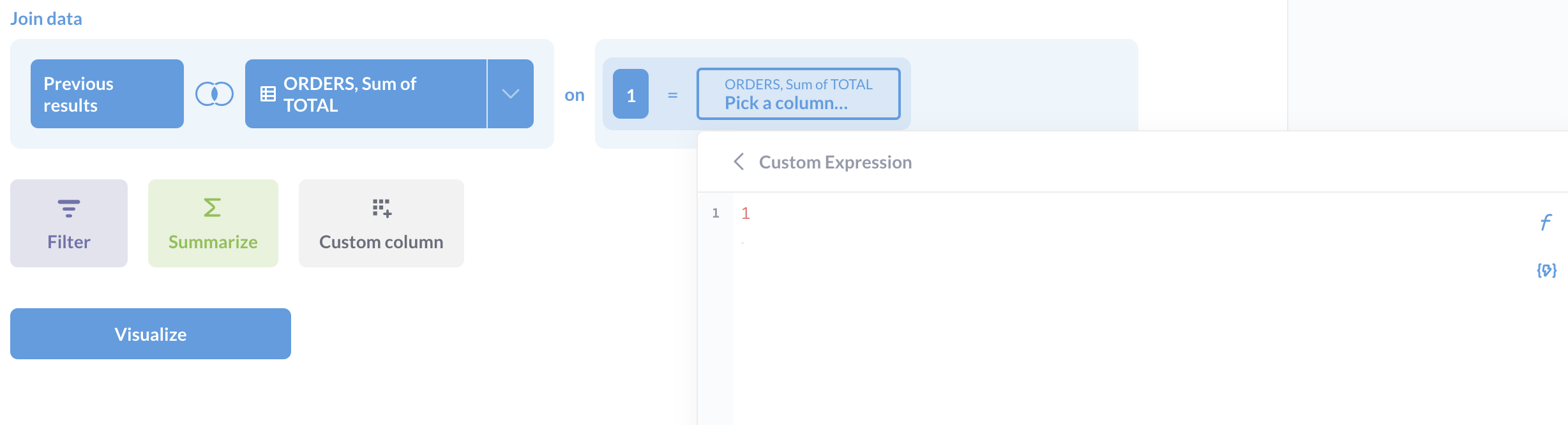
Write a second question that inner joins the first using a 1=1 condition. To access the custom condition, select Custom Expression from the join condition dropdown and just enter the number ‘1’ in the box. Do this for both sides of the condition (and leave the operator as '='):
Dashboard filters appear to work okay on my test question. Both source from the same table and the dashboard Date/Time filter correctly selects the timestamp column from that table, and changing it scales the output accordingly.